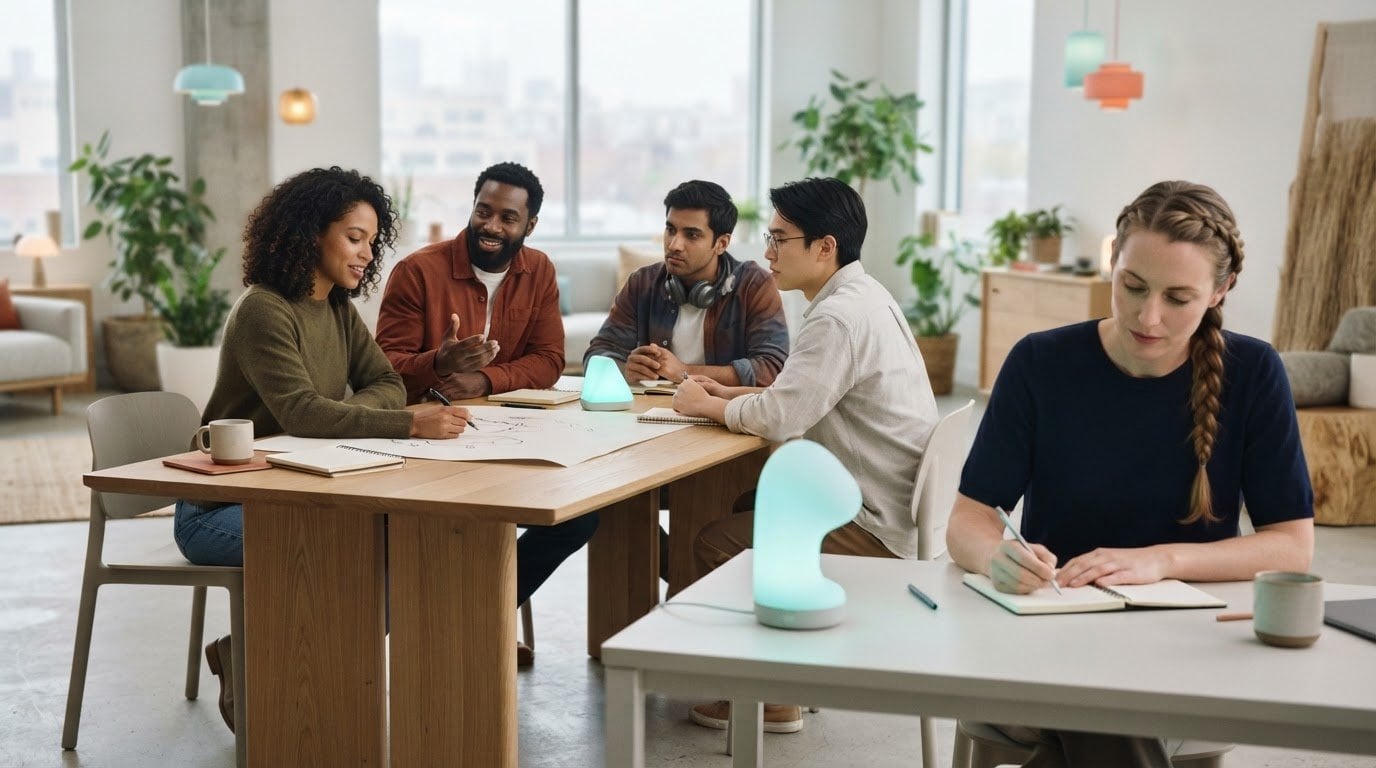

What if the most humane workplace technology is the technology that asks less of your attention? Humane tech for the workplace can sound like a broad ideal, especially when notifications, AI systems, and performance dashboards are part of everyday tasks. The practical question is whether a tool helps people do meaningful work or gives them another demand to manage.
People don’t necessarily need another productivity system that measures every pause or expects them to stay available at all hours. They need technology that supports focus, preserves choice, and makes work easier to understand. That distinction matters as AI plays a larger role in daily workflows.
This article explores what people-first technology looks like at work and how to assess tools by their effects on attention, agency, and the work experience. You’ll learn to ask whether a system is transparent, proportionate, and useful for its intended task, and how small design choices can reduce friction. Sometimes the answer isn’t a new platform. A clearer notification policy, fewer competing alerts, or a physical visual timer that makes time visible without another screen-based workflow may be a better place to begin.
Key Takeaways
- Use agency, attention, clarity, accessibility, and proportionality as practical criteria when reviewing workplace tools.
- Assess humane tech for the workplace by how well it fits the task, supports user control, and serves its intended purpose.
- Start with a specific point of friction, involve the people affected, and pilot one change before expanding it.
- Consider whether a physical visual timer could make time easier to see without adding another screen-based workflow.
- Look beyond speed alone: compare how a tool affects interruptions, inclusion, and the way people experience their work.
What Does Humane Tech for the Workplace Actually Mean?
Humane tech for the workplace is technology designed to serve people and the work they need to do. The aim isn’t to remove technology. It’s to use it intentionally, so the demands a tool makes on attention, communication, and choice fit its purpose.
A tool can complete a task and still raise broader questions: Can employees control how they use it? Is its purpose clear? Does it fit the work, or create extra steps and interruptions? The Center for Humane Technology provides background on the wider movement to examine technology’s effects on people and society. At work, that perspective applies to everyday decisions about interfaces, alerts, and time cues.
For a related perspective on how time can feel at work, explore reducing time anxiety at work.
For a broader look at the human questions raised by workplace AI, watch this conversation with Tristan Harris:
How Is Humane Technology Different from Simply Useful Technology?
Useful technology helps complete a task. Humane design also considers the conditions in which people do that task. A calendar, for example, can be assessed by whether users can manage alerts, understand availability, and retain meaningful control over their time. Convenience matters, but it doesn’t by itself make a tool people-centered. Ask whether the design supports the task without needlessly narrowing people’s choices.
Why Humane Design Matters in Everyday Work
Notifications, interface defaults, and visible time cues all become part of the working environment. Their effects can differ between people and roles. An alert that helps one person respond quickly may interrupt someone else’s focused work. A shared dashboard may clarify team progress while raising questions about what is visible and to whom. Humane design accounts for differences in role, setting, accessibility, and preference instead of assuming one pattern suits everyone.
Humane workplace technology is designed around people’s work, with attention to how its features influence attention, communication, and user choice. Assess the experience around the task, not just whether the task gets done.
Which Design Principles Make Workplace Technology More Humane?
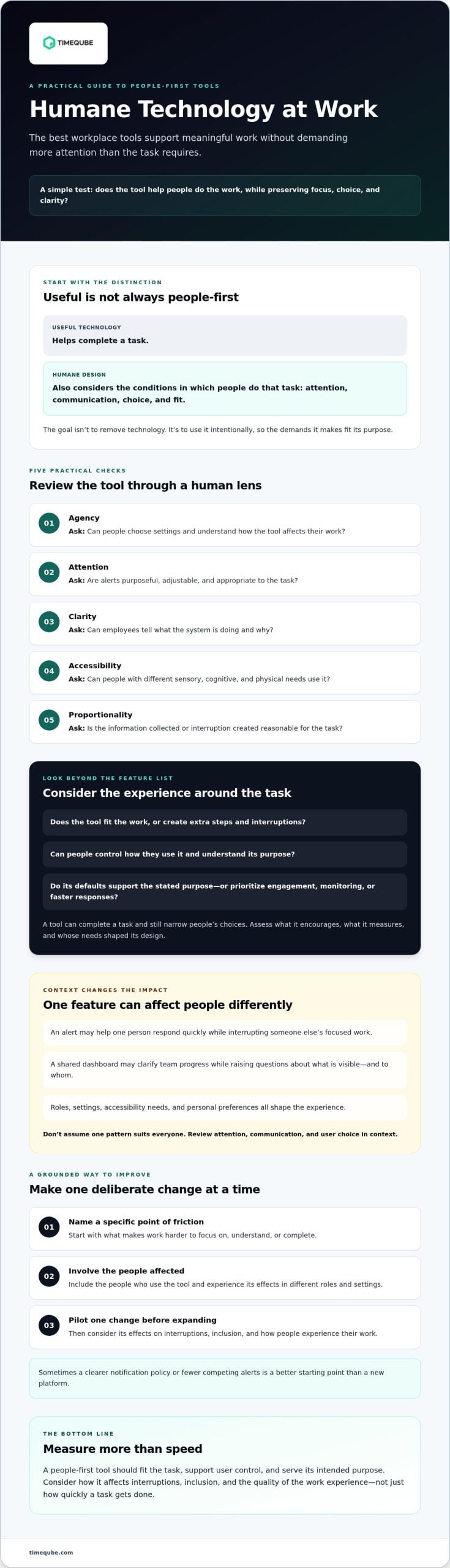
Humane tech for the workplace is easier to assess when broad values become practical checks. Look beyond a tool’s feature list: what behavior does it encourage, what does it measure, and whose needs shaped its design? The principles of humane technology offer a wider values-based perspective. At work, teams can translate that perspective into five questions:
- Agency: Can people choose settings and understand how the tool affects their work?
- Attention: Are alerts purposeful, adjustable, and appropriate to the task?
- Clarity: Can employees tell what the system is doing and why?
- Accessibility: Can people with different sensory, cognitive, and physical needs use it?
- Proportionality: Is the information collected or interruption created reasonable for the task?
These principles connect design to organizational incentives. A system optimized mainly for clicks or constant responsiveness may reward activity rather than the quality of work. Ask whether the defaults support the stated purpose or prioritize more engagement, monitoring, or faster responses. Humane design supports informed choice rather than relying on pressure or compulsion to secure use.
Does the Tool Respect Attention and Human Agency?
Review alerts in context. A message about an urgent operational issue may need immediate attention; a routine update may not. Ask whether employees can adjust notifications, pause them during focused work, or choose another way to receive information. Check what data the tool uses and whether people can understand how its output informs their tasks. Guidance helps people make a decision. An interruption demands attention whether or not the timing is right.
Can Teams Evaluate Benefits Beyond Engagement Metrics?
Usage counts can show whether a tool is being opened, but not whether it serves the work well. Pair them with measures tied to its purpose, such as completion quality, time spent on avoidable steps, or employee feedback about usability. Decide on those measures before adoption. Humane design choices should reflect explicit organizational values and be assessed against measurable goals that account for employee experience, not engagement alone.
Ask employees in different roles, including people with different needs, to review a tool before broad adoption. Consider privacy, accessibility, and whether alternatives are available when a feature doesn’t suit someone’s work. For meetings where teams want time to remain visible without adding another screen-based workflow, a physical visual timer for business meetings is one option to assess against the same criteria.
Is Humane Workplace Technology Less Productive? How to Assess the Trade-Off
No. Humane design doesn’t automatically mean slower work or fewer tools. It means judging technology by whether it fits the task and serves the people doing it. A tool that reduces unnecessary steps may be useful; a tool that adds alerts or tracking may still be appropriate in some contexts. Neither choice guarantees better productivity, focus, or well-being. Effects depend on the work, the people using the tool, and how it’s implemented.
For humane tech for the workplace, compare the experience a tool creates with the outcome it’s meant to support. Use this contrast to frame the evaluation:
| Assess | Pattern to question | People-supportive alternative |
|---|---|---|
| Task fit | One tool added without a clear work need | A tool selected for a defined task |
| Interruptions | Frequent alerts by default | Relevant notifications people can adjust |
| User control | Limited visibility or choice | Clear settings and understandable outputs |
| Inclusion | A single interaction mode assumed to suit everyone | Accessible options suited to varied needs |
| Outcomes | Success judged by activity alone | Success measured against the tool’s purpose |
What Should a Workplace Technology Evaluation Include?
Start with the people and the work. Identify who will use the tool, what task it should support, and who might be excluded by its interface, access requirements, or assumptions. Review what data it collects, how notification settings work, and what users can control. Before procurement, define success measures tied to the intended task. After adoption, review those measures with employees and revise the evaluation if actual use differs from the plan.
How Can Teams Avoid Mistaking Activity for Value?
More clicks, messages, or screen time don’t automatically indicate better work. A dashboard may show frequent use without revealing whether it helps employees complete a task well. Pair quantitative indicators with employee feedback and task-specific outcomes, such as whether a process is clear and avoidable steps remain. Be candid about limits: results may vary by role and context, and early feedback may not establish long-term effects.
Meetings offer a useful place to apply this review. Consider whether scheduling, messaging, and timekeeping tools support the meeting’s purpose or add extra demands. For practical context, see meeting fatigue causes and changes.
How Can Organizations Put Humane Tech Principles into Practice?
Humane tech for the workplace takes more than choosing a tool with thoughtful features. Teams need a way to spot friction, hear from the people affected, and check whether a change serves its purpose. A small pilot makes that process more deliberate before a decision reaches the whole organization.
A useful pilot is a bounded test with a stated purpose, defined participants, and a planned review of intended and unintended effects. Use this five-step process:
- Identify friction. Name one recurring difficulty, such as unclear meeting time cues or routine alerts that interrupt a particular task. Describe the problem without assuming a solution.
- Consult users. Ask people who experience the friction what would help, what could make matters worse, and what accessibility or privacy needs should shape the test.
- Test one change. Keep the scope clear. Agree who will try it, what will change, and how employees can share feedback in an accessible way.
- Assess the experience. Compare the result with the stated purpose. Consider task-specific indicators alongside employee feedback, including unexpected burdens or benefits.
- Revise or decide. Adjust the approach, continue testing, or stop. Expand only when the review gives the team a sound reason to do so.
How Should a Team Run a Small Humane-Tech Pilot?
Keep the trial relevant to the people who will use the change. For example, a team considering another way to make meeting time visible could ask participants whether the cue is clear and suitable for the room. A physical visual timer is one possible option, not a complete answer. Teams can review professional meeting timer principles as they consider how time cues fit their meeting practices.
What Should Leaders Ask Before Adopting a New Tool?
Ask whose needs the tool serves and whose experience may be overlooked. Clarify what data it collects, what users can control, whether its design is accessible, and what alternatives are available. Set a date or condition for reviewing the decision, since workflows and employee needs can change after adoption. Humane technology is an ongoing practice, not a one-time procurement choice.
For teams evaluating a physical time cue in meetings, explore the visual timer for business meetings as one option to assess against your needs.
Where Can a Simple Visual Timer Fit into Humane Workplace Tech?
Not every workplace friction point calls for another app or platform. In a meeting, a physical visual timer can make elapsed time visible through color-coded light signals, without opening a screen-based timer. It’s one optional tool, not a complete solution. Its value depends on whether a shared visual cue fits the meeting and is clear to the people in the room.
This is one practical example of humane tech for the workplace: choose a tool for a defined need, then consider how it affects the people expected to use it. A visual cue may suit some settings, while another format may work better for others. Check visibility from different seats, accessibility needs, meeting norms, and whether participants are comfortable with the cue.
When Might a Physical Meeting Timer Be Useful?
A shared timer may be worth testing in meetings with a planned end time, structured discussion, or a need to make elapsed time visible to everyone. Unlike a timer opened on one person’s device, a physical cue can sit in the shared environment rather than on a personal screen. That may suit some teams, but not everyone will notice or interpret the signal in the same way. Ask participants before making it part of the routine.
How Can Teams Choose a Timer Without Overengineering the Solution?
Keep the decision proportional to the need. Check whether the light signal is understandable, visible in the room, and appropriate for the meeting format. Consider sensory preferences and provide another way to follow time if a light cue isn’t suitable. A timer should support an agreed practice, not add pressure or replace clear meeting expectations.
For a focused example, Timeqube for business meetings is physical timer hardware that communicates time through color-coded light signals. Assess it as you would any workplace tool: identify the need, consider who will use it, and decide how to gather feedback. If a tangible timer seems suited to your meetings, explore whether this option fits your team.
Make the Next Technology Choice More Human
Humane tech for the workplace isn’t about rejecting useful tools. It’s about looking beyond task completion to consider attention, choice, accessibility, and the needs of the people doing the work. Start by identifying one source of friction, consulting the employees affected, and testing a focused change before expanding it.
Evaluate tools against their intended purpose, not activity alone. Ask what they collect, how much control users have, and whether the experience works across different roles and preferences. Then review the results and adjust. People-first technology is an ongoing practice built through deliberate choices rather than a single purchase.
For meetings where a shared time cue may be useful, Timeqube offers physical, light-based visual timer hardware. Color-coded light signals communicate time, and corporate logo customization is available for businesses. Consider whether this kind of tangible tool fits your team’s needs.
Explore Timeqube meeting timer hardware to see whether a physical visual timer could suit your meetings.
Frequently Asked Questions
What does humane tech mean in the workplace?
Humane tech for the workplace means choosing and designing technology to serve people and their work. Teams consider more than whether a tool completes a task. They also look at its effects on attention, user choice, communication, privacy, and accessibility. The goal isn’t to reject technology, but to make intentional choices that fit the task and respect the different needs of the people using it.
How can a company make its workplace technology more humane?
A company can start by identifying a specific source of friction and asking employees who experience it what might help. Test one change with a small, affected group before expanding it. Check notification settings, data practices, accessibility, user control, and available alternatives. Set clear measures for the change’s intended purpose, gather employee feedback, and review for unexpected effects. Treat the process as ongoing, not a one-time purchasing decision.
Is humane technology less productive than conventional workplace technology?
Not necessarily. Humane design doesn’t mean slower work or fewer tools. It means assessing whether a tool fits the task and supports the people doing it. Compare outcomes relevant to the work, such as task quality or avoidable steps, instead of assuming that more activity means more value. Results can vary by role and context, so teams should test changes and avoid promising productivity gains without evidence.
Can humane technology reduce digital distractions at work?
It can help teams address sources of digital interruption, but no design choice guarantees fewer distractions for everyone. For example, adjustable notifications may let employees receive routine updates at a time that suits their work. A physical visual timer may make meeting time visible without opening another screen-based timer. Ask users whether a change helps in their setting and offer alternatives when it doesn’t fit.
What are examples of humane technology in the workplace?
Examples include software with understandable settings, adjustable alerts, and accessible ways to complete tasks. A shared process that makes expectations clear can also support more deliberate technology use. In meetings, a physical visual timer can communicate elapsed time through color-coded light signals without requiring digital timer software. It’s one possible tool, not a complete solution. Consider room visibility, user comfort, and meeting norms.
How can employees evaluate whether a workplace tool is humane?
Ask whether the tool serves a clear work purpose and whether its features are understandable and within users’ control. Check what information it collects, how it handles notifications, and whether people with different needs can use it. Consider who may be left out or affected by its defaults. Pair usage data with employee feedback and task-specific results. If the evidence is incomplete, treat conclusions as provisional.
Does humane workplace technology have to be non-digital?
No. Humane workplace technology can be digital or physical. A digital tool may be people-centered if it is clear, accessible, proportionate to its purpose, and gives users meaningful control. A physical tool isn’t automatically humane simply because it has no screen. For either type, consider who it serves, what demands it creates, and whether it fits the task and workplace context.