
What if the primary obstacle to your team’s focus isn’t a lack of discipline, but the very digital tools meant to save it? You likely recognize the quiet frustration of a meeting that drifts past its scheduled end. Digital timers and notification pings often exacerbate this problem, creating a state of constant, low-level anxiety that hinders deep collaboration. High-performance teams are moving away from screen-based distractions in favor of more intuitive solutions. Selecting the right meeting productivity hardware is now a matter of cognitive science as much as office utility.
We understand that mental space is your most valuable resource. This guide will show you how sensory-first hardware can eliminate digital distractions and transform your team’s meeting efficiency. You’ll learn how to replace intrusive alarms with subtle, light-based signals that work with your biology rather than against it. We will preview the essential physical tools for 2026, from visual time management devices to minimalist collaboration hubs. These selections are designed to foster shorter, more focused sessions while maintaining a professional, distraction-free environment that signals intentionality.
Key Takeaways
- Understand why physical tools reduce cognitive load and provide a more grounded sense of presence than screen-based apps.
- Discover how peripheral vision allows participants to track time subconsciously without breaking their collaborative flow.
- Evaluate the most effective meeting productivity hardware for 2026, focusing on sensory-first designs and status indicators.
- Learn how to design a high-focus environment by auditing digital distractions and optimizing the placement of visual cues.
- Explore the benefits of using intuitive, light-based signals to replace aggressive alarms and foster shorter, more efficient sessions.
Beyond Software: Why Physical Tools for Running Efficient Meetings are Essential
Digital-first environments often create a paradox. We use software to manage time, yet the software itself consumes our cognitive resources. Every notification or screen-based clock requires focal vision. This forces the brain to process symbols and digits, which interrupts the deep thought required for high-level collaboration. Choosing dedicated meeting productivity hardware solves this by moving utility off the screen and into the physical world. It allows the monitor to remain a space for work while the desk becomes a space for awareness.
The Problem with Digital Distractions
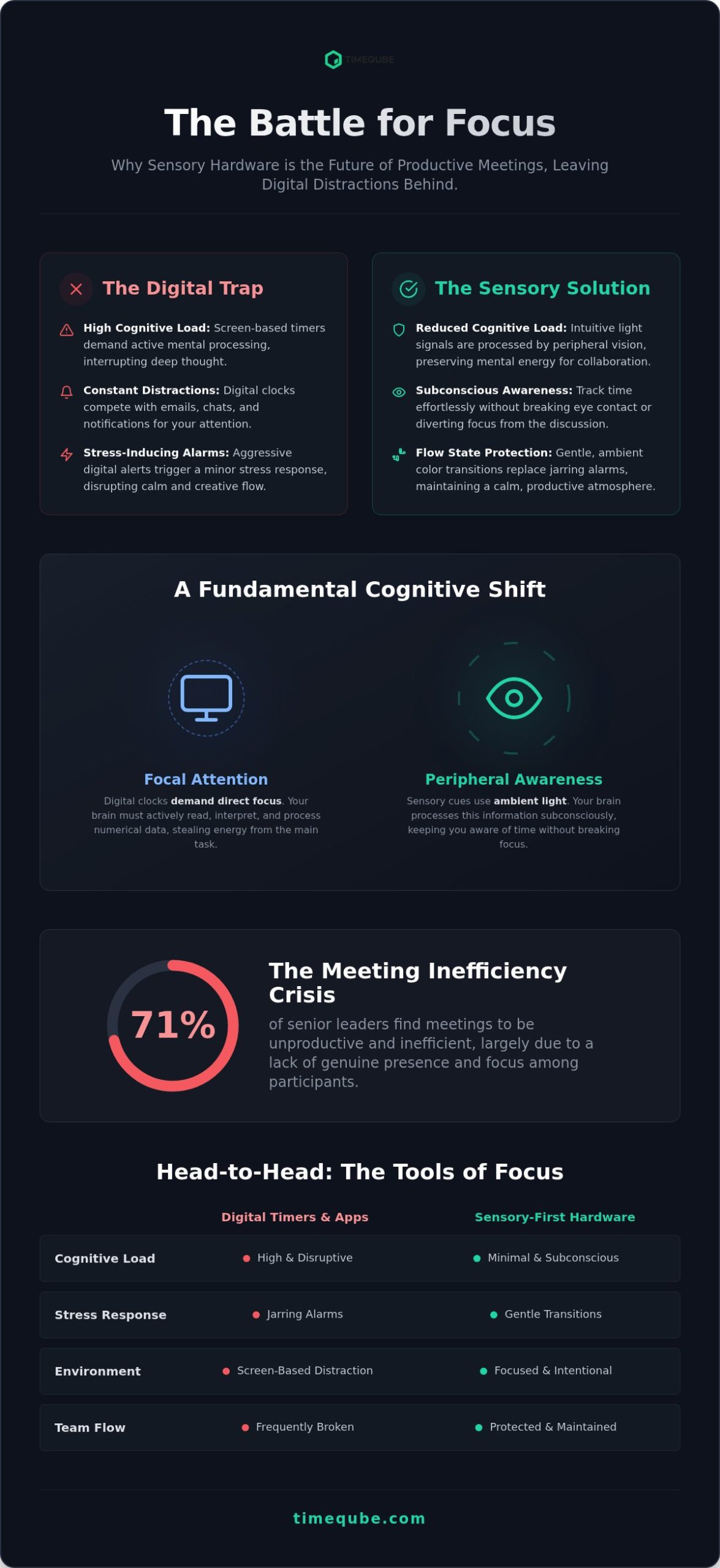
Screens are designed to capture and hold attention. When a timer lives on your monitor, it competes with your email, chat apps, and the presentation slides. This competition leads to “tab-switching” fatigue, where the brain grows tired from constantly reorienting its focus. Statistics show that 71% of senior leaders find meetings to be unproductive; much of this inefficiency stems from a lack of true presence. Using a phone as a timer is equally counterproductive. It often triggers a subconscious habit of checking for notifications, effectively breaking the flow state of the group. Digital alarms are often aggressive, triggering a minor stress response that disrupts the calm needed for thoughtful discussion.
The Rise of Sensory-First Productivity
Sensory-first hardware defines tools that interact with human biology rather than just providing raw data. Instead of forcing the brain to read and interpret a digital countdown, these tools use light or haptics to communicate status. This transition from focal attention to peripheral awareness is a significant shift in how we manage professional time. It allows participants to stay fully engaged in a conversation while maintaining a subconscious sense of the meeting’s progress.
Physicality also provides a sense of permanence and professional boundaries. A dedicated device on a boardroom table or a home office desk acts as a psychological anchor. It creates a specific environment where time is respected and focus is protected. These tools offer several advantages for the modern office:
- Reduced Cognitive Load: Light signals are processed faster by the brain than numerical data.
- Subconscious Awareness: Peripheral vision keeps you informed without distracting you from the speaker.
- Executive Presence: High-end hardware like the Timeqube for Business Meetings provides a minimalist, professional aesthetic that signals efficiency to clients and colleagues alike.
- Stress Mitigation: Gentle transitions in color replace the sudden, jarring noise of traditional timers.
By moving time management to the physical desk, you remove the friction of digital interfaces. This creates a stress-free environment where meetings naturally become shorter and more intentional.
Sensory-First Hardware vs. Digital Distractions
Sensory-first hardware operates on a fundamental biological principle. It targets peripheral awareness rather than focal attention. When you look at a digital clock, your brain performs an active task. It reads digits, calculates remaining time, and compares it to the agenda. This process consumes cognitive energy. In contrast, high-quality meeting productivity hardware uses light and color to communicate state. This information reaches the brain through the periphery. It allows you to remain present in the conversation without the mental tax of data processing.
Subconscious Time Management
Cognitive science distinguishes between what we look at directly and what we perceive in our surroundings. Focal awareness is narrow and easily overwhelmed by complex data. Peripheral awareness is different. It’s highly sensitive to changes in light and color but doesn’t require active concentration. A changing glow is far less intrusive than a ticking clock or a flashing digital notification. This is why visual cues are more effective for maintaining a flow state. You can explore the depth of this research in The Science of the Professional Meeting Timer. By using light, the hardware provides a constant, gentle reminder of time without demanding the spotlight.
Building Trust Through Transparency
Meetings often suffer from unequal participation. One speaker might dominate the room while others lose their chance to contribute. Shared visual timers create a neutral, fair environment. When the timer is visible to everyone, it acts as a “silent coach.” It eliminates the need for a human interrupter. The hardware becomes the authority, signaling transitions without breaking the verbal flow. This transparency significantly reduces meeting anxiety. Participants know exactly how much time remains, which encourages more concise and impactful contributions. For executive environments, using a tool like Timeqube for Business Meetings ensures this process remains elegant and professional.
The use of universal color signals (Green, Yellow, and Red) taps into existing mental models. Green indicates a safe state of progress. Yellow provides a gentle nudge to conclude a thought. Red signals a firm stop. These transitions happen smoothly. They don’t require an audible alarm that jolts the nervous system. This mindful approach to time management respects the mental well-being of the team while driving efficiency. It removes the friction of human intervention, allowing the group to focus on the content of the discussion rather than the logistics of the clock.
Top Meeting Productivity Hardware for 2026: A Comparative Roundup
The transition to high-performance meetings requires a curated set of physical tools. While software handles the logistics, meeting productivity hardware manages the human experience. The objective is to remove friction and reduce the cognitive load on every participant. In 2026, the focus has shifted toward minimalist designs that prioritize mental well-being over complex data displays. These tools act as unobtrusive allies in the quest for professional harmony.
Visual Time Management Tools
Traditional clocks are becoming obsolete in the professional boardroom. They require focal vision to read and interpret numerical data, which interrupts the natural flow of a conversation. Modern alternatives utilize color-coded light to signal time. This allows the brain to process the meeting’s progress subconsciously. A device like the Timeqube for Business Meetings replaces the anxiety of a countdown with a gentle, glowing transition from green to red. This approach isn’t just for group sessions; it’s also a powerful tool for individual focus. You can learn more about these applications in The Ultimate Guide to Using a Visual Timer for Deep Work. Moving away from ticking clocks creates a tranquil environment where deep work can flourish.
Hybrid Meeting Essentials
Physical mute buttons and docking stations, such as the Satechi Dual Dock Stand ($169.99), offer a tactical sense of control that software cannot replicate. They provide a reliable, physical interface for managing your digital workspace. Additionally, organizations are increasingly choosing Timequbes with Your Logo to maintain a consistent corporate identity. Branded meeting productivity hardware signals a commitment to efficiency and intentionality. It transforms a simple utility into a professional statement within the executive office.
Physical Note-Taking Tools
Typing during a meeting creates a barrier between participants. It often leads to “screen-staring” rather than active listening. Physical note-taking tools, like the reMarkable Paper Pro ($629), bridge this gap. They provide the tactile feel of paper with the benefits of digital organization. This keeps the user’s attention on the discussion rather than the laptop screen. By removing the temptation of browser tabs and notifications, these devices ensure that the meeting remains a focused, collaborative event. This removal of digital friction allows for greater awareness and presence among all attendees.
Designing a High-Focus Meeting Environment
Creating a high-focus environment is an intentional act. It requires moving beyond passive participation toward active environmental design. The goal is to remove friction that depletes mental energy. By integrating meeting productivity hardware, you create a physical space that naturally guides behavior. This transition happens in four clear stages.
First, audit your digital distractions. Identify tools that currently live on your screen, such as timers or status apps, and move them to physical devices. This clears your monitor for collaborative work. Second, position your visual cues within the natural line of sight but outside the focal center. Placing a visual timer in your peripheral vision allows for subconscious monitoring without interrupting your train of thought. Third, establish color-coded rules for meeting phases. For example, Green signals open discussion, while Yellow indicates the start of the summary phase. Finally, use branded tools to signal professional standards. Consistency in your setup projects an aura of intentionality to every client and colleague.
Neurodiversity and Meeting Accessibility
Traditional time management often fails individuals with ADHD or “time blindness.” These challenges make it difficult to perceive the passage of time without a concrete reference point. Visual timers provide a physical representation of time that digital digits cannot match. It’s a sensory-friendly way to track progress without the stress of a countdown. You can read more about these strategies in Time Management for Neurodiversity. An inclusive workspace accommodates different processing styles by offering clear, non-verbal cues that ground every participant in the present moment.
The Executive Office Setup
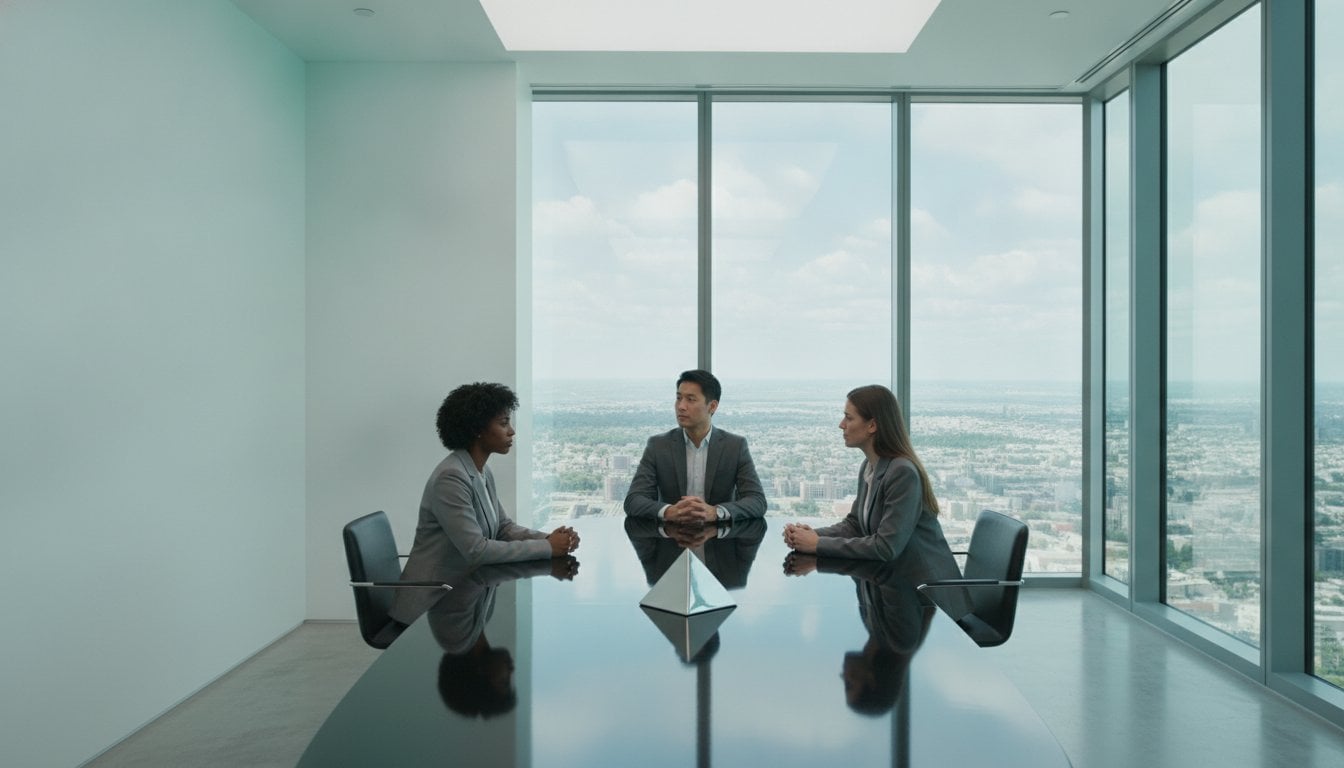
A minimalist desk is the foundation of high-level focus. Reducing physical clutter directly reduces mental noise. High-quality materials like wood, glass, and steel provide a tactile sense of stability and calm. When your meeting productivity hardware matches the aesthetic of a professional boardroom, it reinforces your status as an expert. For leaders who value this intersection of design and psychology, Timequbes with Your Logo offer a sophisticated way to integrate branding into a high-focus setup. A clean, intentional environment signals that your time, and the time of your team, is a valuable resource.
Why Timeqube is the Gold Standard for Visual Meeting Management
Timeqube represents the pinnacle of meeting productivity hardware through its commitment to radical simplicity. Most tools add complexity to the desk; this device removes it. There are no buttons to press, no apps to configure, and no digital displays to interpret. It relies on the universal language of light. This design philosophy ensures that the tool remains an unobtrusive ally rather than another source of cognitive fatigue. It’s built for high-stakes environments—much like the demanding clinical and surgical settings equipped through synergymedco.com—where every second of attention is a valuable asset.
The Timeqube for Business Meetings model is crafted with a professional aesthetic that complements executive spaces. Beyond its visual appeal, the hardware is engineered for the rigors of a full workday. Its durability and long battery life allow it to function through back-to-back professional sessions without interruption. For organizations looking to reinforce their identity, Timequbes with Your Logo provide a way to integrate visual time management into the corporate brand. It signals a culture that respects time and prioritizes focus.
The Mindful Approach to Time
This hardware isn’t just a timer; it’s a bridge to a more mindful way of working. While it’s essential for corporate efficiency, the Timeqube for Mind is also a trusted tool in mind/body therapies. It helps users transition from “watching the clock” to “feeling the time.” This sensory-first approach respects human biology. It reduces the anxiety often associated with strict deadlines. By providing a gentle, glowing reminder of the present moment, it fosters a state of professional harmony and awareness.
Investing in Team Efficiency
The financial justification for better time management is clear. Research shows that a 5,000-person organization can lose up to $100 million a year due to unnecessary meetings. With executives spending an average of 23 hours a week in sessions, the ROI of saving even a small percentage of that time is significant. Physical meeting productivity hardware acts as a permanent culture-shifter. It’s a constant, physical reminder of the value of brevity. Unlike software that can be ignored, a glowing cube on the table establishes a standard for every participant. Meetings are ultimately for people to connect and create, not for managing software interfaces.
Restoring Focus to the Modern Workspace
The future of professional collaboration depends on your ability to protect mental space. By transitioning from intrusive digital notifications to sensory-first tools, you remove the cognitive friction that disrupts deep work. High-quality meeting productivity hardware does more than track time; it anchors your team in the present moment. This shift allows for shorter, more intentional sessions that respect the biological limits of the human brain. You’ve seen how peripheral awareness can replace the stress of a ticking clock, allowing for a more natural flow of ideas and a significant reduction in meeting fatigue.
Whether you are managing a global boardroom or a private therapy session, the right physical environment fosters trust and clarity. These solutions are trusted by therapists and executives worldwide for their ability to create an atmosphere of professional harmony. With a hardware-only design for zero distractions and customizable logo options for corporate branding, you can ensure your office reflects your commitment to efficiency. It’s time to reclaim your focus and lead with quiet confidence.
Upgrade your meeting room with the Timeqube Professional Timer and experience the tranquility of a truly focused workspace. Your team deserves an environment where presence is the priority.
Frequently Asked Questions
What is the best hardware for running efficient meetings in 2026?
The most effective meeting productivity hardware for 2026 prioritizes sensory-first interaction over digital complexity. High-performance teams are choosing physical tools like Timeqube for Business Meetings to manage time without screen-based distractions. Other essentials include high-fidelity audio systems from specialists like OrangeAudio and minimalist note-taking tablets like the reMarkable Paper Pro. These tools reduce cognitive load by removing the friction of software interfaces. This allows participants to maintain presence and focus on collaborative outcomes.
How do visual timers improve meeting productivity compared to apps?
Visual timers improve productivity by engaging peripheral awareness rather than focal attention. Digital apps live on screens where they compete with notifications and browser tabs. This creates a state of constant distraction. A dedicated light-based timer provides a subtle, non-intrusive cue that the brain processes subconsciously. It eliminates the need to look away from colleagues to read digits. This ensures the meeting flow remains uninterrupted while everyone stays aware of the remaining time.
Can physical timers help with ADHD in the workplace?
Physical timers are highly effective for managing ADHD and time blindness in professional settings. They provide a concrete, external representation of time that digital clocks often fail to convey. A changing color signal acts as a gentle nudge, helping neurodivergent individuals stay grounded in the present moment. This sensory-friendly approach reduces the anxiety of sudden deadlines. It creates a more inclusive environment that accommodates various cognitive processing styles without the stress of loud alarms.
Why should a company invest in branded meeting hardware?
Investing in branded hardware like Timequbes with Your Logo signals a high standard of intentionality to both clients and employees. It transforms a simple utility into a permanent symbol of your company’s respect for time. Consistent branding across meeting rooms establishes a professional atmosphere that prioritizes efficiency. This physical presence acts as a culture-shifter, reinforcing the value of concise communication. It demonstrates that your organization treats every minute of collaboration as a valuable resource.
How does peripheral vision help with time management?
Peripheral vision allows the brain to process environmental changes without losing focus on a primary task. While focal vision is required to read and interpret numerical data, the periphery is highly sensitive to light and color. Using light-based signals for time management reduces cognitive load significantly. It enables participants to perceive the meeting’s status subconsciously. This biological shortcut ensures that time awareness becomes a background process, leaving the conscious mind free for deep, collaborative thought.
Is hardware more effective than software for preventing meeting overrun?
Hardware is generally more effective than software for preventing meeting overrun because it acts as a permanent physical anchor. Software timers are easily minimized, covered by windows, or ignored during intense discussions. A physical device on the table is a shared reference point for every person in the room. It creates a mutual accountability that digital tools cannot replicate. This physical presence subtly nudges behavior, leading to shorter sessions and more disciplined time management.
What are the essential gadgets for a hybrid meeting setup?
To use a visual timer without causing distraction, position it within the natural line of sight but outside the focal center. This placement leverages peripheral awareness. You should also ensure the light transitions are smooth rather than abrupt. Using color signals like Green, Yellow, and Red provides a silent, intuitive guide that doesn’t require verbal interruption. This approach respects the mental space of the participants. It allows the hardware to act as a “silent coach” that guides the meeting toward a natural conclusion.