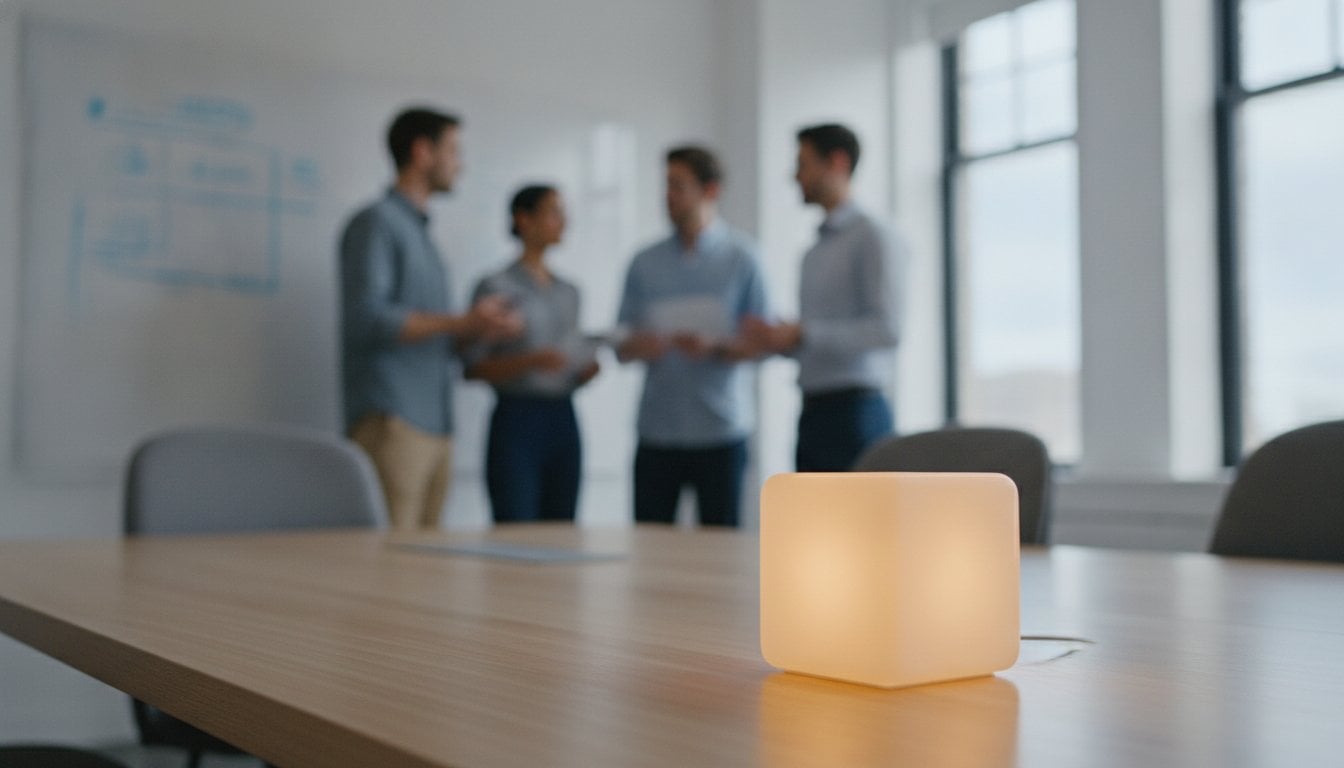

Why does a flickering digital countdown feel like a source of anxiety rather than a tool for clarity? In the high-pressure environment of a sprint, the aggressive tick of a software clock creates a sense of panic that disrupts creative flow. You’ve likely experienced the frustration of a daily standup that overruns its fifteen-minute boundary. Integrating an agile meeting visual timer into your physical workspace solves this conflict by removing the need for intrusive screen-sharing that hides your Kanban board.
This shift relies on peripheral vision and subconscious processing to guide the group. You’ll learn how these physical cues reduce cognitive load and keep ceremonies precise without the friction of digital interfaces. We will preview the best hardware solutions of 2026 that foster a culture of presence and professional harmony. This approach ensures your team remains focused on the work rather than the clock. Discover how to maintain strict timeboxes effortlessly while protecting your team’s mental well-being and focus during high-stakes planning sessions.
Key Takeaways
- Understand why digital clocks often disrupt the flow of conversation and trigger unnecessary anxiety during sprints.
- Discover how an agile meeting visual timer leverages peripheral vision to guide your team subconsciously through color-coded signals.
- Learn to prioritize your Kanban board by replacing screen-shared digital timers with dedicated physical hardware.
- Implement practical strategies for using light transitions to manage daily standups and sprint reviews with minimal friction.
- Explore the design principles that make minimalist hardware the superior choice for maintaining focus in elite agile environments.
The Scrum Timer Paradox: Why Digital Clocks Kill Agile Flow
The Scrum Timer Paradox describes a subtle failure in modern sprint management. Tools designed to protect time often consume the very attention they aim to save. When a team focuses on a digital clock, they stop focusing on the dialogue. This friction disrupts the natural rhythm of a Daily Standup. By 2026, high-performing teams are moving toward ambient awareness. They seek signals that exist in the room without demanding central attention. This shift prioritizes human connection over numerical tracking.
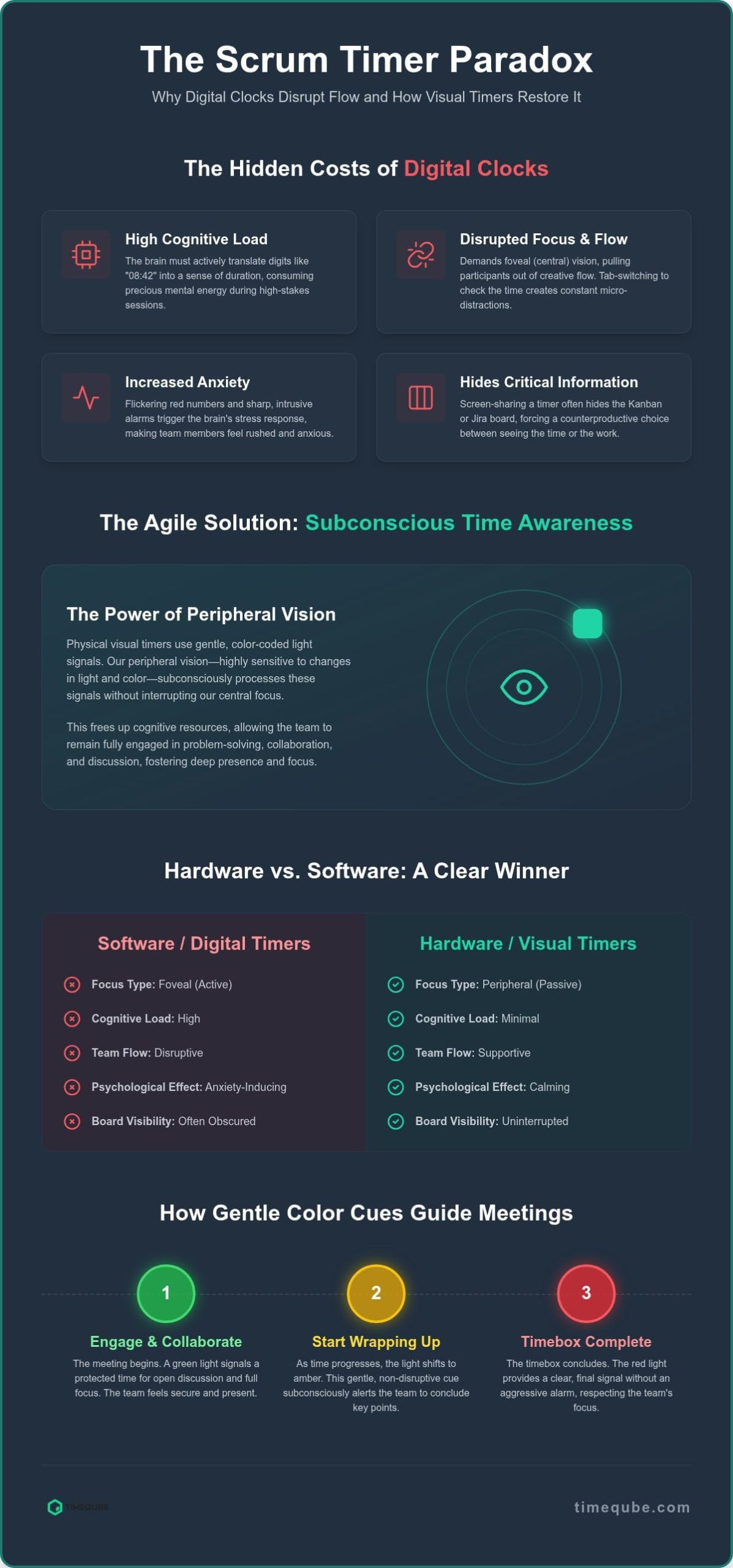
Digital countdowns force the brain into foveal focus. This is the sharp, central vision used for reading text or numbers. It’s an analytical process that pulls participants out of a creative flow state. Additionally, screen-sharing a timer often hides the Kanban or Jira board. This creates a counterproductive choice between seeing the time or seeing the work. An agile meeting visual timer resolves this by moving the signal off the screen and into the physical environment. It allows the board to remain the primary focus while time stays present in the background.
The Cognitive Load of Digital Timekeeping
The brain must actively translate digital digits into a sense of duration. Seeing “08:42” requires a calculation to understand how much time remains. This analytical task adds unnecessary cognitive load during a high-stakes planning session. Tab-switching to check a browser-based clock creates micro-distractions that break mental presence. Digital displays also use aggressive stimuli. Flashing red numbers or sharp alarms trigger a stress response in the amygdala. This biological reaction increases anxiety and makes team members feel rushed rather than supported.
Why ‘Free’ Software Timers Often Cost More in Productivity
Software-based tools are often perceived as cost-effective because they’re free to download. However, the hidden costs in lost focus and technical friction are significant. Browser-based timers follow an “out of sight, out of mind” logic. Once the tab is hidden, the sense of time vanishes. This leads to overrunning the 15-minute timebox. Using a physical timeboxing technique creates a dedicated anchor for the ceremony. A physical agile meeting visual timer acts as a silent guardian of the schedule. It establishes a sacred space where the focus remains on the team and the goals. Investing in dedicated hardware like a Timeqube for Business Meetings ensures that time management remains a subconscious background process rather than a foreground distraction.
The Science of Peripheral Vision in Agile Meeting Management
Human vision operates through two distinct neurological pathways: foveal and peripheral. Foveal vision is our central, high-resolution focus. We use it to read text, analyze data, and decode digital digits. Peripheral vision is different. It’s designed to detect movement, changes in light, and color shifts across a wide field of view. An agile meeting visual timer leverages this biological reality to communicate time without interrupting the team’s cognitive flow. By moving time management to the periphery, you free the central focus for the complex problem-solving required in Scrum.
Color-coded light signals (Green, Yellow, Red) bypass the analytical brain entirely. They don’t require the prefrontal cortex to translate symbols into meaning. Instead, these signals are processed by the more primitive, faster sensory regions of the brain. This creates a subconscious awareness of time. You know exactly where you are in the session without ever having to look away from your colleagues. This ambient awareness reduces the urge to check the clock, fostering a deep sense of presence and focus.
Subconscious Time Awareness vs. Active Monitoring
The brain processes color signals significantly faster than alphanumeric data. While reading a digital clock requires active decoding, perceiving a hue is nearly instantaneous. This efficiency leads to higher team productivity and morale because it removes the cognitive friction of constant monitoring. Color-coded signals provide a gentle transition between phases, preventing the “rush” felt with aggressive digital countdowns. Peripheral timing is the key to uninterrupted team collaboration.
Maintaining Presence and Eye Contact
High-performing Agile teams rely on non-verbal cues. Subtle shifts in body language or facial expressions provide critical context during a daily standup. Digital timers disrupt this by forcing eyes toward a screen or a browser tab. An ambient light source allows facilitators to keep their eyes on the team, where the real work happens. You stay present in the room while remaining aware of the timebox boundaries. This neurological advantage is explored further in The Science of the Professional Meeting Timer. To bring this level of professional harmony to your team, consider the unobtrusive presence of a Timeqube for Business Meetings.
Comparing Agile Meeting Timers: Hardware vs. Software Solutions
Choosing an agile meeting visual timer involves weighing the immediate accessibility of software against the intentional presence of hardware. While browser-based applications are common, they often create a cluttered digital environment that competes for limited attention. In a high-stakes sprint, every pixel on your screen is valuable. Software timers force a compromise between the visibility of your Kanban board and the tracking of your timebox. Hardware removes this conflict entirely by moving the time signal into the physical room.
Reliability is a critical factor for Scrum Masters. Software solutions are vulnerable to internet lag, browser crashes, and sudden OS updates that disrupt the flow of a ceremony. While Quantum Infinity helps resolve connectivity challenges in tactical and enterprise environments, physical devices offer a level of stability for timekeeping that digital tools cannot match. There’s also a profound psychological impact in the act of physically setting a timer. This tactile motion signals to the brain that a dedicated period of focus has begun. It transforms the timebox from an abstract digital concept into a tangible, shared reality for the entire team.
A physical device like a Timeqube for Business acts as a team totem. It serves as a visible anchor for the ceremony, signifying that the group has entered a “sacred space” of productivity. These devices are designed for immediate use. You don’t need to worry about logins, browser compatibility, or battery drain during a crucial planning session. For organizations looking to strengthen their identity, using customised timers with logos reinforces company culture every time the team gathers. This professional hardware creates an atmosphere of intentionality and calm that software simply lacks.
Software Limitations in Hybrid and In-Person Settings
Digital fatigue is a significant concern in the hyper-connected work environment of 2026. Adding another application to a team’s workflow often contributes to cognitive exhaustion. In hybrid settings, sharing a digital timer on a single projector is notoriously difficult. If the facilitator stops screen-sharing to focus on a specific Jira ticket, the remote participants lose their visual cue. This disconnect can cause the meeting to drift off track. A physical agile meeting visual timer remains visible to everyone in the room and on camera at all times. It ensures that the timebox remains a constant, unifying presence for both local and remote team members. Teams seeking comprehensive reduce meeting stress tools will find that combining physical timers with intentional meeting protocols delivers the most significant improvements in focus and well-being.
Best Practices for Implementing Visual Timers in Scrum and Kanban
Integrating an agile meeting visual timer requires more than placement on a conference table. It demands a shared protocol. Successful adoption begins with a collective understanding of what each color-coded signal represents. This protocol allows teams to maintain momentum without the friction of verbal interruptions. In hybrid environments, place the physical device within the primary camera’s field of view. This ensures remote and local participants share the same subconscious awareness of the timebox.
The device acts as a silent facilitator. It removes the need for the Scrum Master to interrupt a speaker, which can often feel jarring or confrontational. Instead, the transition of light provides a neutral, objective cue that everyone respects. This shift in dynamics preserves the psychological safety of the group while maintaining strict schedule discipline.
Optimising the Daily Standup (The 15-Minute Rule)
For teams looking to extend this atmosphere of professional harmony to a luxury off-site setting, find out more about the facilities at Quob Park Estate, Hotel & Spa.
The 15-minute standup is a cornerstone of Scrum. To manage this effectively, follow a simple three-phase approach. Set your timer for the full duration. The first twelve minutes remain green, allowing for concise updates on progress and blockers. At the 12-minute mark, the transition to yellow provides a silent warning to begin wrapping up. When the light turns red at 15 minutes, the meeting reaches a definitive hard stop.
- The Parking Lot: If a technical discussion is still active when the red light appears, move it to a ‘parking lot’ session after the ceremony.
- Rotating Accountability: Assign a rotating Time Keeper role. This encourages the team to take ownership of their own efficiency.
Visual Timing for Sprint Planning and Retrospectives
Sprint planning often suffers from unplanned ‘deep dives’ into technical debt. These tangents can derail a lengthy session. Use your agile meeting visual timer to box specific agenda items, such as capacity planning or backlog refinement. This keeps the energy high and the focus sharp. In retrospectives, use ambient light to protect ‘Safety Checks’ and ‘Brainstorming’ phases. Setting a five-minute green box for a safety check ensures the session starts with intentionality.
The physical cue allows the Scrum Master to maintain a servant-leader stance. The timer becomes the objective authority, which helps in time-boxing difficult conversations without appearing rude. If a discussion becomes circular, a quick reset of the timer provides a neutral way to refocus the group. To bring this level of professional harmony to your ceremonies, consider the Timeqube for Business Meetings hardware solution.
Elevating Team Productivity with Timeqube Visual Timers
Timeqube represents the intersection of neurological research and minimalist industrial design. As the premier hardware choice for elite Agile environments, it addresses the fundamental flaws of digital timekeeping. The philosophy is simple: less is more. By removing numbers, buttons, and complex interfaces, Timeqube restores focus to the team’s primary objectives. It acts as a silent partner that understands the biological limits of the human brain. This intentional simplicity ensures that an agile meeting visual timer never becomes the source of the very distraction it seeks to eliminate.
The versatility of this technology extends beyond the boardroom. While it is a staple for Business Meetings, the same principles of ambient awareness apply to Mind/Body Therapies. In both contexts, the goal is the removal of friction. Creating a calm workspace is not just about aesthetics; it’s a strategic move for developer retention. In the competitive landscape of 2026, teams that protect their members’ mental space foster higher levels of engagement and long-term focus. A tranquil environment reduces the cumulative stress of constant deadlines and aggressive countdowns. For a broader perspective on addressing this challenge, exploring dedicated tools to reduce meeting stress and restore team focus can provide additional strategies that complement physical timing hardware.
A Design That Fits the Modern Office
The minimalist cube aesthetic complements any professional setting, from a high-tech boardroom to a dedicated home office. It’s a tool that feels like a natural extension of the workspace. High-quality materials and a battery life optimized for 2026 standards ensure the device is always ready for the next ceremony. Physical timers are increasingly becoming essential components of “Deep Work” cultures. They provide a visible boundary for focus periods, signaling to others that a session is in progress without the need for verbal interruptions. This physical presence creates a shared reality that digital tools cannot replicate. Teams operating in executive settings can explore how a visual timer for boardrooms enhances executive focus and reduces the cognitive burden of traditional timekeeping in high-stakes leadership environments. For teams in specialized software development, such as those creating complex digital transaction simulation systems, maintaining this focus is paramount; read more about tools designed for high-stakes technical environments.
Selecting the right model depends on your specific ceremony needs. For large-scale sprint reviews, a larger visual anchor might be necessary to ensure visibility for all participants. For intimate daily standups, a compact version provides the perfect balance of presence and subtlety. Integrating these physical timers into your existing workflow is seamless. It requires no software installation, no complex logins, and no technical training. The transition from digital anxiety to ambient clarity happens the moment the light turns green. Explore the Timeqube collection and transform your Agile meetings today.
Reclaiming Focus in the Sprint Room
The transition from digital anxiety to ambient awareness marks a fundamental shift in how high-performing teams perceive time. You’ve discovered how a physical agile meeting visual timer leverages peripheral vision to maintain flow without the analytical stress of numerical countdowns. By removing the friction of screen-sharing and technical interruptions, your team can focus entirely on the collaboration that defines a successful sprint. This approach respects the biological limits of the human brain while fostering a culture of presence and professional harmony.
Elite Agile teams worldwide are already utilizing this science-backed peripheral vision technology to protect their creative momentum and focus. The distraction-free hardware design ensures that ceremonies like the Daily Standup remain efficient and respectful of every member’s mental well-being. It’s time to move beyond the cognitive strain of software clocks and embrace a more sophisticated, tranquil solution for your workspace.
Upgrade your Agile ceremonies with a distraction-free Timeqube visual timer.
Embrace a professional environment where time supports your team’s best work rather than dictating their stress levels.
Frequently Asked Questions
What is an agile meeting visual timer and how does it differ from a regular clock?
An agile meeting visual timer is a dedicated hardware device that uses color-coded light signals instead of alphanumeric digits. Unlike a regular clock that requires active reading, these timers leverage peripheral vision to communicate remaining time. This method allows the brain to process timebox status subconsciously. It removes the cognitive friction of translating numbers into duration, ensuring the team remains focused on the sprint goals rather than the ticking clock.
Why should my Scrum team use a physical timer instead of a free app?
Physical timers provide a tangible anchor that free applications cannot replicate. Digital apps often require screen-sharing, which consumes valuable space on your Kanban board. Software is also prone to technical lag and notification interruptions. A hardware device acts as a permanent team totem in the physical workspace. It signals the start of a sacred space for ceremonies, fostering a culture of presence and professional harmony that digital tools lack.
How do I use a visual timer during a remote or hybrid standup?
To integrate a visual timer into a hybrid standup, place the device within the primary camera’s field of view. This ensures remote participants experience the same color transitions as those in the room. It eliminates the need to share a browser tab, which often hides the Jira board. By keeping the light signal visible on camera, you maintain a unified sense of timebox discipline across the entire distributed team.
Can a visual timer really help reduce meeting anxiety for developers?
Visual timers reduce anxiety by replacing aggressive digital countdowns with gentle color transitions. Traditional clocks with flashing red digits often trigger a stress response in the brain. In contrast, an ambient light signal communicates boundaries without creating a sense of panic. This science-backed approach protects the developer’s cognitive flow. It allows for a more tranquil environment where team members feel supported by the timebox rather than rushed by it.
What are the standard color meanings for an Agile visual timer?
Most ceremonies follow a simple three-color protocol using an agile meeting visual timer. Green signifies active discussion and creative flow. Yellow indicates the final phase, typically the last two or three minutes, signaling the team to wrap up their points. Red represents a definitive hard stop. These signals are processed by the brain’s sensory regions faster than text, allowing for seamless transitions between speakers without the need for jarring verbal interruptions.
Is it possible to customise a physical timer for my company’s branding?
Is it possible to customise a physical timer for my company’s branding?
Yes, you can integrate your company’s identity into your time management tools. Timeqube provides options to feature your corporate logo on the hardware. For organizations that prioritize a cohesive visual identity—much like the high-impact displays offered by Mobile Light Box for professional events—this customization transforms a functional tool into a professional anchor that reinforces company culture. It aligns the brand’s aesthetic with the team’s commitment to efficiency and focus, making the timer a sophisticated part of your modern office or boardroom environment.
An agile meeting visual timer provides a silent, objective boundary for the 15-minute Daily Scrum. By setting a clear transition to yellow at the 12-minute mark, the team receives a subconscious cue to conclude their updates. This prevents the meeting from overrunning without the Scrum Master needing to intervene verbally. It encourages self-organization and keeps the dialogue concise, ensuring the ceremony remains a high-energy pulse check rather than a lengthy status report.
Do I need any special software to use a Timeqube in my meetings?
No software or digital interface is necessary to operate a Timeqube. The device functions as standalone hardware, which eliminates common technical friction like login issues or browser compatibility. This distraction-free design ensures the timer is always ready for immediate use. It avoids the digital fatigue associated with 2026’s hyper-connected workflows. You simply set the duration on the physical device and let the light guide your team’s focus.