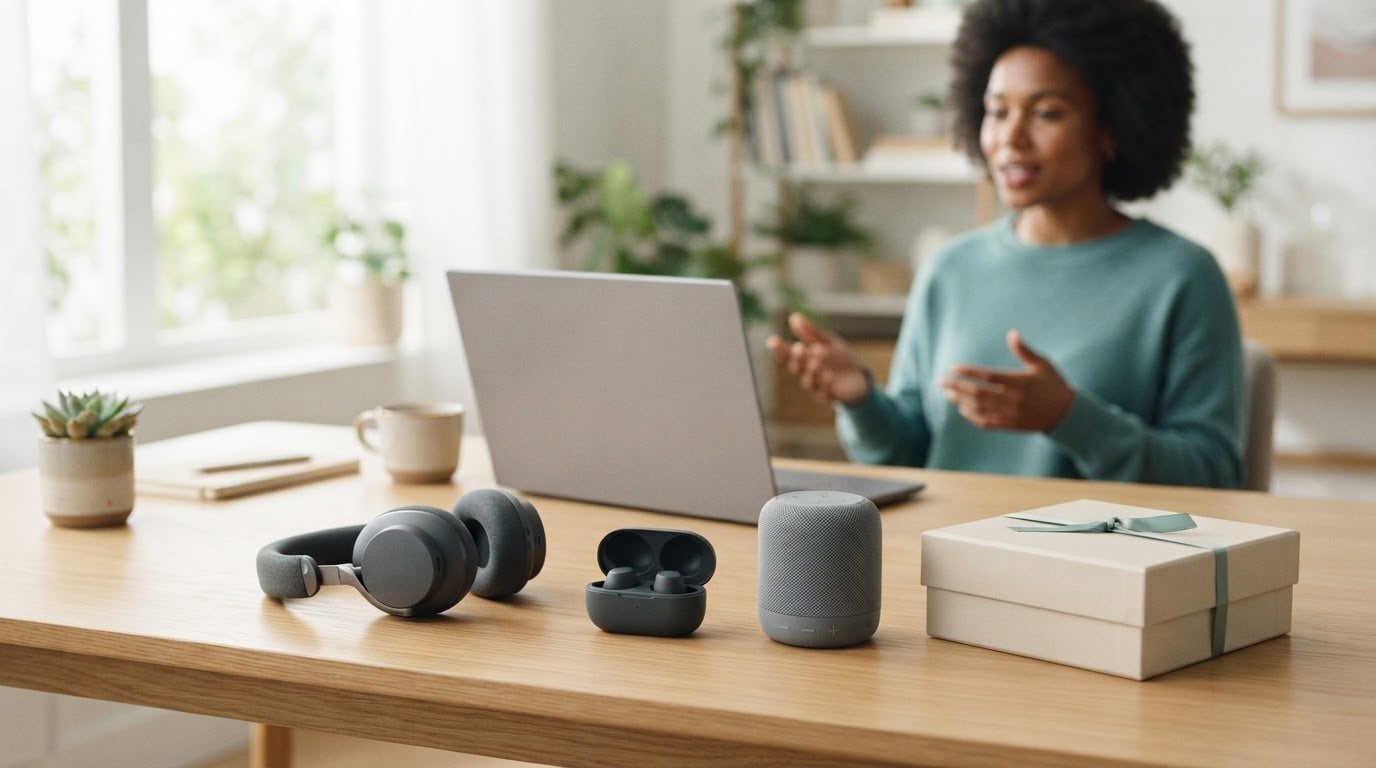

A branded tech gift is more useful when it fits the way an employee works. For tech gifts for employees in 2026, most teams spend $25-$100 per gift, with the right choice shaped by budget, work style, and the occasion.
Audio gifts are popular for good reason: earbuds, headphones, and speakers can support different routines, from focused work to remote meetings. But the most thoughtful choice isn’t always the most expensive or feature-packed. It’s the one that feels relevant to the person receiving it.
This guide explores popular branded tech gifts for employee appreciation, including audio options and practical picks for remote work. You’ll find ideas for different budgets and occasions, along with a clear way to compare gifts by usefulness, branding, and the experience they create. The goal is a considered choice that feels personal without making the process complicated.
Key Takeaways
- Match speakers, earbuds, or headphones to how employees work, from calls and focused tasks to shared spaces.
- Choose wearable tech with the recipient’s everyday habits and comfort in mind, not just its features.
- Set a per-person budget first, then compare gifts by usefulness, branding options, and how well they suit the occasion.
- For employee appreciation, connect the gift to a clear moment or contribution so it feels intentional rather than routine.
- Prioritize practical tech that can move naturally between work and home, reducing friction in the recipient’s daily routine.
Audio gifts including speakers, earbuds, and headphones
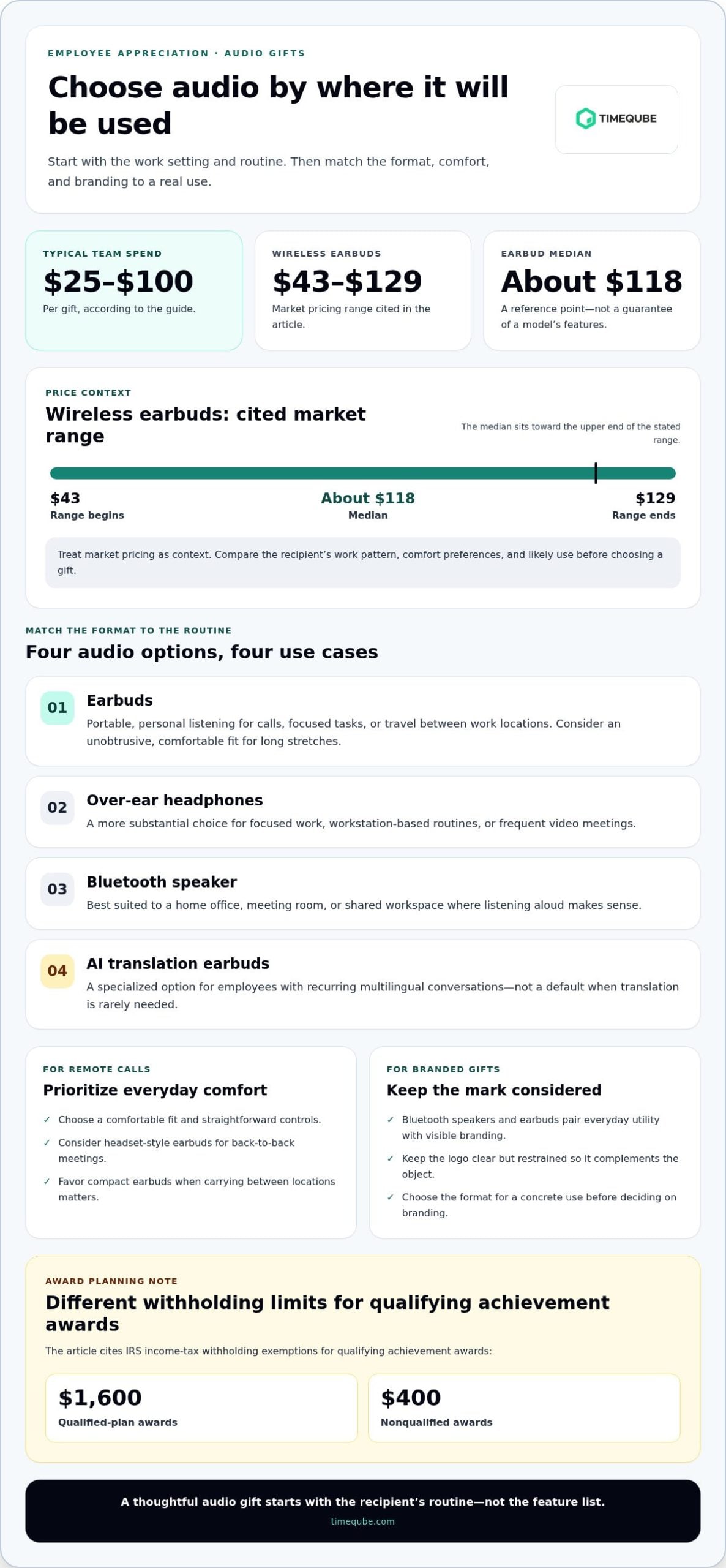
Audio gifts suit different work moments, from private calls to shared listening. Earbuds work well for employees moving between a desk, a commute, and a home workspace. Over-ear headphones offer a more substantial option for focused work or frequent video meetings. A Bluetooth speaker suits a different routine: playing audio aloud in a home office, meeting room, or shared workspace. Start with the setting, then choose the format that fits.
For remote calls, prioritize a comfortable fit and straightforward controls. Employees who wear earbuds for long stretches may prefer an unobtrusive design. A headset-style pair can suit back-to-back meetings, while compact earbuds are easier to carry between locations. For a speaker, consider where it will be used and whether group listening is more useful than private audio. A desk-based employee and a frequent traveler may appreciate different gifts, even if both use audio daily.
Bluetooth speakers and earbuds work well as branded gifts because they combine everyday utility with a visible logo. Keep branding clear but restrained, so it complements the object rather than dominates it. AI translation earbuds offer a more specialized option for employees who regularly communicate across languages. Their appeal depends on a genuine work need, so they’re less suitable as a universal gift when recipients rarely need translation. For any audio gift, match the format to a concrete use before choosing the branding.
- Choose earbuds for portable, personal listening during calls, focused tasks, or travel between work locations.
- Choose headphones for employees who spend much of their day at a workstation or in remote meetings.
- Choose a Bluetooth speaker when shared listening in a home office or meeting space makes more sense.
- Consider AI translation earbuds for roles with recurring multilingual conversations, rather than as a default for every employee.
Market pricing provides one reference point: wireless earbuds typically range from $43 to $129, with a median of about $118. Treat that range as context for the broader market, not as a guarantee of a particular model’s features. For employee appreciation, also account for the recipient’s work pattern, comfort preferences, and likely use. A gift that fits a regular routine can feel more considered than a more elaborate device that stays unused.
There’s also a tax distinction to consider for qualifying achievement awards. For income-tax withholding, qualifying achievement awards are exempt up to $1,600 for qualified-plan awards and $400 for nonqualified awards, according to the Internal Revenue Service. Keep that distinction in mind when planning an award program. Select audio gifts by use case first, then align the item and presentation with the occasion.
Smartwatches and fitness trackers
A smartwatch can put meeting alerts, calendar prompts, and activity summaries on the wrist. A fitness tracker usually focuses more closely on movement and activity information. For employee appreciation, the distinction matters: a project lead who checks calendar notifications may value a smartwatch, while someone seeking a simple movement companion may prefer a tracker. Match the device to a real routine, not an assumed lifestyle.
Begin with the employee’s workday. A remote team member moving between a desk and household tasks might appreciate glanceable reminders. Someone who leads meetings may find discreet wrist notifications useful, provided they don’t create another stream of interruptions. For a person who prefers fewer digital prompts, a tracker focused on activity awareness may feel more appropriate. The gift should support the recipient’s preferences, not prescribe how they should work or exercise.
Consider comfort and compatibility before appearance. A wearable is personal, and its fit, interface, and connection to the recipient’s phone affect daily use. Consider whether the person already uses a particular mobile operating system or wearable platform. A device that doesn’t fit existing habits can remain unused, even if its design looks polished. For a distributed team, a short preference form can identify platform needs without asking for sensitive health details.
- For calendar-heavy roles: consider a smartwatch with notifications the wearer can manage.
- For movement awareness: consider a fitness tracker that aligns with the recipient’s own activity goals.
- For notification-sensitive employees: prioritize control over alerts and avoid framing more prompts as better.
- For a remote team: collect device compatibility preferences before selecting a wearable.
Wearables also call for thoughtful presentation. A smartwatch can feel like a substantial recognition gift, while a fitness tracker may suit a wellness-themed appreciation moment. Avoid implying that employees should meet a particular activity target. Instead, describe the gift as an optional tool for personal awareness. That framing respects different abilities, routines, and levels of interest. An employee might use a tracker to notice movement patterns, while another may simply value its time display.
Keep privacy in view when introducing a wearable. The device belongs to the recipient, and managing personal activity information should remain their choice. Don’t make participation in a workplace activity program a condition of receiving the gift. A simple note can explain that the wearable is for individual use, with no expectation to share personal readings. This keeps the gesture clear and appreciation separate from performance monitoring.
Before choosing, follow a practical sequence: identify the recipient’s likely use, consider phone compatibility, and decide whether alerts or activity awareness are the better fit. Then choose a presentation that feels personal without turning the wearable into a workplace requirement. Smartwatches and fitness trackers suit different preferences, but neither is universal. The strongest choice respects the employee’s routine and leaves them in control.
Tech gifts organized by budget
Set a per-person budget before comparing devices. Most teams spend $25-$100 per tech gift. Use that range as a planning reference, then match the purchase to its purpose. A useful gift can support daily work, reduce friction, or mark a contribution. For tech gifts for employees 2026, begin by deciding what the gesture should achieve. Avoid choosing a device simply because it appears impressive.
For a modest budget, prioritize simple items with an obvious purpose. A mouse supports everyday computer use. A cable organizer keeps a shared desk orderly. A phone stand can make video calls easier to manage. Each works best when it addresses a real task. For a distributed team, choose a practical category and keep the selection consistent.
Within the $25-$100 range, compare gifts by likely use. A Bluetooth speaker may suit a home workspace, while earbuds fit personal listening. A desk accessory may better serve employees who work mainly at a workstation. These are different use cases, so don’t treat the budget as a reason to select one item for everyone. Choose a category that reflects the team’s work patterns.
For a larger recognition gesture, focus on presentation and relevance. A carefully selected device paired with a note about an employee’s contribution can feel more intentional than unrelated extras. A remote-work gift might reflect the recipient’s home-office routine. A team milestone gift could use consistent branding and a message tied to the achievement.
- Set the budget: define the per-person limit and the occasion.
- Choose a use case: identify whether the gift supports desk work, calls, or home routines.
- Compare practical value: consider everyday usefulness before packaging.
- Plan the branding: align logos and presentation with the appreciation moment.
For bulk orders, account for customization, packaging, and delivery coordination. These details affect how gifts arrive and how easily teams can distribute them. Keep the item central. A branded gift should remain useful after the appreciation event, rather than serving only as a one-day symbol.
A simple process keeps spending decisions clear. First, set the limit. Next, identify the recipient group and the work situation the gift should support. Then compare suitable categories by usefulness, branding, and presentation. A team with varied roles may benefit from a choice of categories. A shared work context may call for one coordinated item. Tech gifts for employees 2026 work best when the budget guides a thoughtful choice, rather than becoming the only measure of appreciation.
Tech gifts for employee appreciation
An appreciation gift feels more deliberate when it recognizes a specific contribution. Choose technology that connects to the employee’s work, preferences, or milestone.
For 2026, the Internal Revenue Service states that qualifying achievement awards are exempt from income-tax withholding up to $1,600 for qualified-plan awards and $400 for nonqualified awards. This is a limited withholding rule for qualifying achievement awards, not a blanket exemption for every tech gift.
Before selecting connected devices, consider privacy, security, and compatibility. Choose gifts that don’t require employees to share personal data with their employer, and match device compatibility to the recipient’s phone, computer, or operating system.
Appreciation Gift Selection
Start with the reason for recognition, such as completing a project, mentoring a colleague, or reaching a team milestone. Then connect the gift to a practical preference: an employee working remotely may value useful desk technology, while someone traveling between work locations may prefer a portable device. A personal note naming the contribution makes the gesture specific without turning it into a performance metric.
For a group celebration, keep the recognition message consistent while allowing reasonable choice in gift type. Employees could, for example, choose between a desk-focused accessory and a portable audio device. That respects differing routines and reduces the risk of giving everyone equipment they won’t use. Avoid gifts that imply a required health habit, constant availability, or participation in workplace monitoring.
Bulk Gift Selection and Ordering
For bulk orders, choose a recipient group, a clear spending limit, and a gift category before requesting quantities. Compare device compatibility, branding placement, packaging, and delivery arrangements as part of one plan. The company can then place the order with its chosen supplier, provide final recipient or delivery details, and coordinate distribution for the appreciation occasion.
Use a simple order workflow to reduce avoidable errors:
- Define the purpose: connect the gift to a milestone, recognition event, or team appreciation moment.
- Confirm the audience: group recipients by work setting or device needs, not assumed personal habits.
- Choose the item: compare practical use, compatibility, and branding requirements.
- Prepare distribution: organize recipient details, packaging, and delivery timing before placing the order.
For example, a company recognizing a remote team can select one useful category, then consider whether employees use different phone or computer platforms. A consistent branded presentation can unify the gesture, while the device choice reflects actual work needs. Keep employee data limited to what ordering and delivery require, and avoid collecting personal device activity. This makes appreciation easier to manage while keeping the gift focused on recognition.
Practical Tech Gifts for Work and Home
Useful gifts solve small friction points across different settings. A phone stand can support video calls at a desk, then hold a device during personal use at home. A compact charging station can organize everyday devices in either workspace. Start by identifying one routine the gift can simplify.
For employees who move between locations, portability matters. A laptop sleeve, travel mouse, or foldable stand can fit into a work bag. Choose an item that supports the recipient’s existing setup rather than adding another complicated device. A stand can raise a laptop screen, while a separate keyboard can make a home desk easier to arrange.
At home, a desk lamp, webcam, or cable organizer may support a more settled work area. In the office, the same gift may serve a shared desk or meeting space. Before ordering, consider whether recipients work in fixed locations, follow hybrid schedules, or use shared environments. A gift with a clear purpose in both places is more likely to earn regular use.
- For desk organization: consider a cable organizer, device stand, or charging station.
- For remote calls: consider a webcam or adjustable phone stand.
- For hybrid routines: consider a portable mouse, laptop sleeve, or foldable stand.
- For shared work areas: choose accessories that can move easily between desks.
Compatibility matters, too. A charging accessory must suit the devices employees already use, and computer accessories should fit their operating setup. For a team with varied equipment, collect basic preferences before selecting one shared item. This doesn’t require asking about personal activity or private information. It simply helps prevent gifts that don’t fit the recipient’s everyday tools.
Use a short selection process. First, list recurring work tasks, such as video calls, note-taking, or moving between offices. Next, identify an accessory that directly supports one task. Then consider whether it will remain useful outside work. A stand that helps with calls may also support personal video chats; a portable mouse may travel between home and office. The strongest choice is specific, not elaborate.
Some teams may benefit from a visual cue that makes meeting time easier to follow. For a physical approach that minimizes digital distraction, consider a visual timer for business meetings. It suits meeting settings better than general desk accessories, while a charging station or laptop stand may be more practical for daily individual work. Match each gift to the task it should support, then keep the choice useful across the employee’s actual work settings.
Timeqube: Timeqube for Mind/Body Therapies
Timeqube offers Timeqube for Mind/Body Therapies, a physical visual timer designed for therapy settings. Its color-coded light signals make time visible without adding another digital distraction. For workplaces, Timequbes with Your Logo provide a branded gift with a practical role in managing timed sessions. Timeqube for Business Meetings offers a related option for teams that want a visual way to keep meeting time in view.
This is a thoughtful fit when appreciation calls for a calm, functional tool rather than another personal device. Explore Timeqube for Mind/Body Therapies or visit Timeqube to learn more.
Make the Next Gift Feel Intentional
The strongest appreciation gifts reflect how people work, not just what is new. Before choosing, decide what you want the gesture to communicate: recognition, support for focused work, or a more considered meeting experience. That purpose gives the gift meaning beyond the moment it’s received.
For teams seeking a physical cue for time awareness, Timeqube offers Timeqube for Mind/Body Therapies, Timequbes with Your Logo, and Timeqube for Business Meetings. These options connect a practical tool with settings where visible time awareness can matter. They can also give employee appreciation a distinctive direction when another personal device doesn’t feel like the right fit.
Use your chosen purpose to guide the next step. Consider which setting the gift should serve, then decide whether a branded visual timer fits that intention. The right choice can make appreciation feel thoughtful while supporting a calmer relationship with time. Contact Timeqube to discuss employee gifts and explore an option for your team.
Frequently Asked Questions
What are popular branded tech gifts?
Popular branded tech gifts include practical accessories employees can use without changing their routines. Consider a power bank for mobile work, a webcam cover for a home setup, or a wireless keyboard for desk use. Keep the logo visible but unobtrusive, and choose an item with enough surface area for clear branding. Usefulness should lead; the imprint should feel like a thoughtful detail.
What are the best tech gifts for employees in 2026?
The best choice depends on the employee’s work pattern and personal preferences. For someone taking calls across locations, portable audio may fit; for a desk-based role, an ergonomic accessory may be more relevant. Consider compatibility, ease of use, and whether the gift addresses a recurring task. A short preference survey can help narrow choices without asking employees to share private device or health information.
Use each spending cap to shape a shortlist, rather than treating price as proof of popularity. Under $25, consider simple accessories such as cable organizers or phone stands. With $100, consider more substantial tech gifts, such as audio devices. Check current options against your limit, since prices vary by item and seller.
A quality headset may suit an employee with frequent calls, while a larger desk accessory may fit a fixed workspace. Before choosing, consider the recipient’s existing devices, work setting, and likely daily use. A personal note connecting the item to a specific contribution can make the recognition feel considered.
Which tech gifts work best for remote and hybrid employees?
Remote and hybrid employees often benefit from gifts that travel easily or improve a home setup. A foldable wireless mouse is one portable option; it operates at 2.4 Ghz. A compact webcam accessory or headset may also support calls from changing work locations. For teams using different equipment, gather basic compatibility preferences before ordering. Avoid gifts that depend on employees sharing personal activity data.
What are the best personalized or company-branded tech gifts for employees?
The best branded option combines practical use with restrained personalization. Timequbes with Your Logo provide a physical visual timer with corporate branding, suited to organizations seeking a time-awareness tool for shared settings. For a personal appreciation gift, connect the logo and accompanying note to a team milestone or company value. Keep the message specific, and let employees use the item without linking it to performance tracking.