
A timer shouldn’t add to the noise you’re trying to avoid. If you need a silent timer for sound sensitivity, choose a visual timer that marks time without an audible alert. Timeqube uses gentle color cues, so you can notice time passing without a beep or buzz.
It makes sense to want a timer that stays in the background. A quiet tool should support your awareness of time, not pull your attention away with a beep or buzz. The right choice depends on how you prefer to see time passing, how you’ll use the timer at work, and whether you need a brief visual signal or a steady display.
This article explains what to consider when choosing a silent timer, including how visual cues work and where to place a timer during focused work. It also covers how a physical visual timer can mark meeting time without relying on digital alerts.
Key Takeaways
- Choose an alert that fits your sensory needs, and consider whether light, vibration, or sound will be least distracting.
- Place the timer where you can notice it without repeatedly shifting attention away from your work.
- Use a visible countdown to create a clear boundary for focused work or meeting time.
- For a physical visual option in professional settings, Timeqube offers a timer for business meetings and branded options for businesses.
Silent timer for sound sensitivity
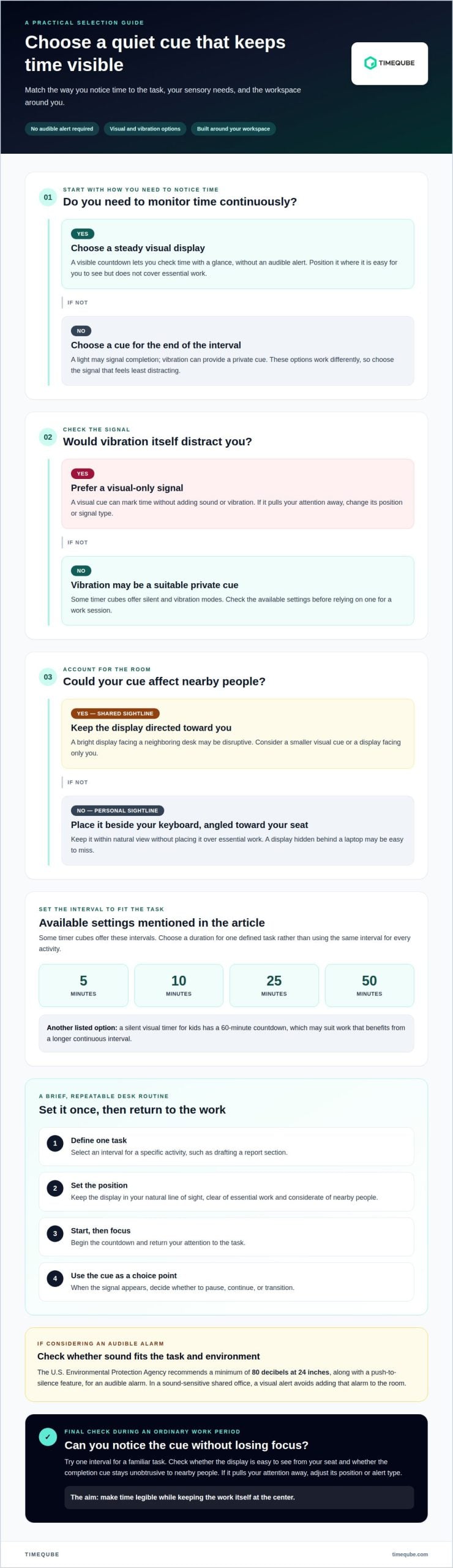
A silent timer for sound sensitivity marks time without adding another sound to an open office. “Silent” can mean different things: a display may show a countdown, a light may flash at completion, or vibration may provide a private cue. These options are not interchangeable. Start by deciding whether you need to monitor time continuously or only notice when a work interval ends. That choice determines which visual display or alert makes sense.
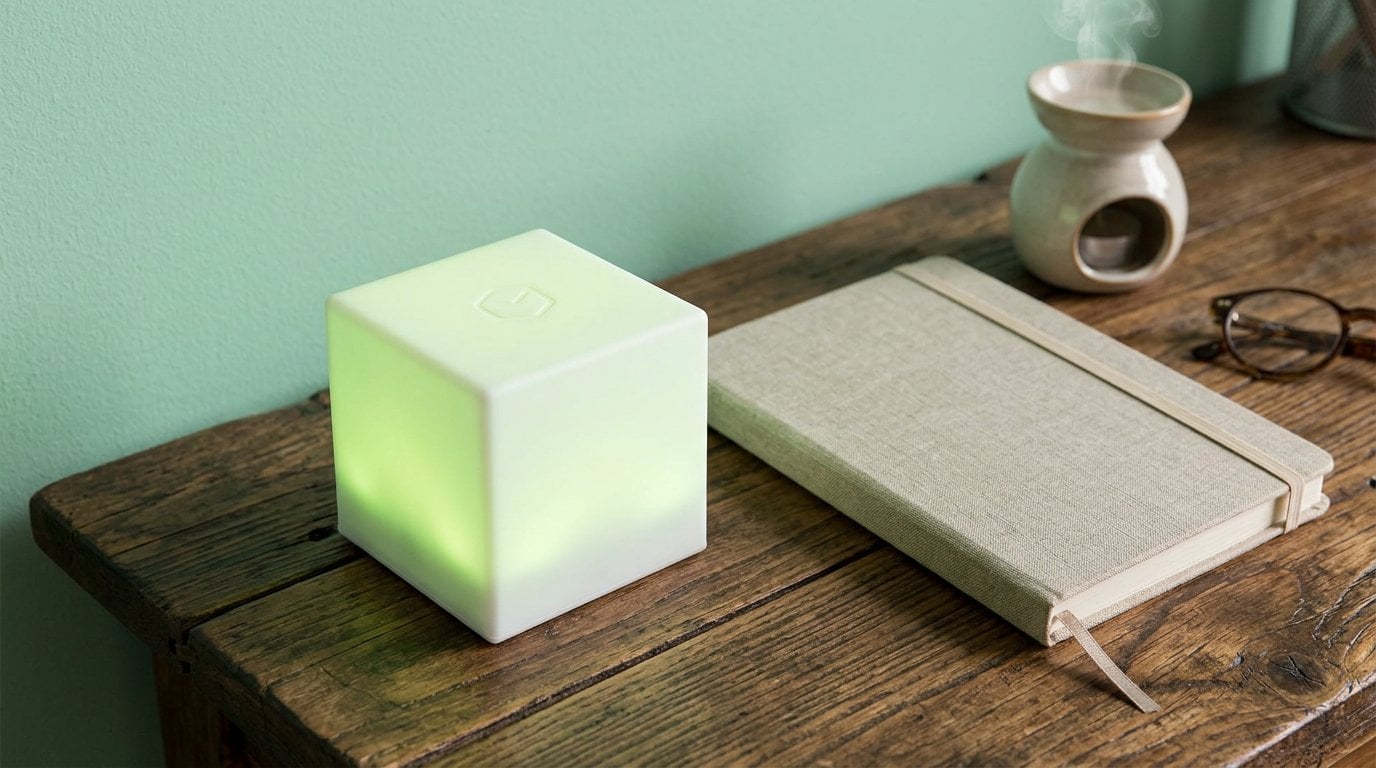
A visual timer can keep time visible without an audible alert. Place it where you can see it with a quick glance, but not over essential work. In a shared office, consider whether the cue will be visible to colleagues as well. Timeqube uses green, orange, and red light cues in your peripheral vision, designed to provide gentle time awareness without diverting attention from the task.
Check how the timer handles alerts before relying on it for a work session. Some timer cubes offer silent and vibration modes, with settings of 5, 10, 25, and 50 minutes. Those intervals can suit short tasks, a longer focus block, or a planned break. Choose a duration that matches the task rather than setting the same interval for every activity. If vibration itself feels distracting, a visual-only signal may be a better fit.
Use a simple setup routine at your desk. First, select the interval that matches one defined task, such as drafting a report section. Next, position the display within your natural line of sight, without placing it over essential work. Then start the countdown and return attention to the task. When the signal appears, use it as a cue to pause, continue, or transition. This sequence keeps timer interaction brief and predictable.
Placement matters in an open office because sightlines and shared screens vary. A timer tucked behind a laptop may be quiet but easy to miss. A bright display facing a neighboring desk may be visible to others and disruptive. Try positioning it beside your keyboard, angled toward your seat. If a colleague shares the desk area, a smaller visual cue or a display facing only you can reduce unnecessary visual activity.
Sound sensitivity does not make every audible alarm unsuitable for every setting. If an audible alarm is needed, the United States Environmental Protection Agency recommends a minimum of 80 decibels of sound pressure at 24 inches, along with a push-to-silence feature. For a sound-sensitive person in a shared office, that guidance is a reason to consider whether an audible signal fits the actual task and environment. A visual alert avoids adding that alarm to the room.
A visual timer can also mark intervals during a manual noise-sampling task. The U.S. Environmental Protection Agency describes using an automatic timer with a visual indicator, set to various time intervals, for manual noise sampling. This is different from personal focus timing, but it illustrates how a visual cue can help make elapsed intervals easier to track.
Before settling on a timer, test it during an ordinary work period. Set one interval for a familiar task, then notice whether you can see the display without repeatedly checking it. Observe whether the completion cue is noticeable from your seat and unobtrusive to nearby people. If it pulls your attention away, change its position or alert type. A useful quiet timer makes time legible while keeping the work itself at the center.
he practical priority is to choose a cue that you can notice without directing attention away from the task. A listed silent visual timer for kids has a 60-minute countdown, which may suit work that benefits from a longer continuous interval. Before using a visual option, consider whether its display is easy for you to read from your seat and whether the alert remains unobtrusive in the shared space. If a countdown is not useful for a particular task, keep the timer out of the way and rely on a brief check at a natural pause. The aim is to make timing support attention, while leaving you free to decide whether to stop, carry on, or take a break when the interval ends.
Timeqube
Timeqube offers physical visual timers for people who want to manage time without audible alerts or digital distractions. Its green, orange, and red cues appear in the peripheral field of vision, providing a gentle, continuous stimulus as time passes. Use Timeqube to make meeting time visible or to mark a focused activity.
Timeqube for Business Meetings supports visual time awareness during shared discussions. Timeqube with Your Logo offers a branded option for businesses, while Timeqube for Mind/Body Therapies is designed for therapy sessions. Choose the version that fits where you want to make time visible.
If a physical visual timer fits your work routine, contact Timeqube to discuss your needs.
Make time easier to see
A calmer work rhythm can begin with a cue you notice without bracing for another sound. Place the timer where it fits naturally into your workspace, and use its visual signals to track time while keeping your attention on the task.
Choosing a silent timer for sound sensitivity comes down to how you want to notice time passing. A physical visual timer like Timeqube may suit you if you want a gentle cue without audible alarms or digital distractions. Explore Timeqube for focused work, business meetings, or mind and body therapy sessions.
Timeqube offers options for business meetings, mind and body therapies, and branded business use. If you’re considering a physical visual timer for your workplace, contact Timeqube about quiet timing. Choose a cue that supports your attention, and let the rest of your workday unfold with greater ease.