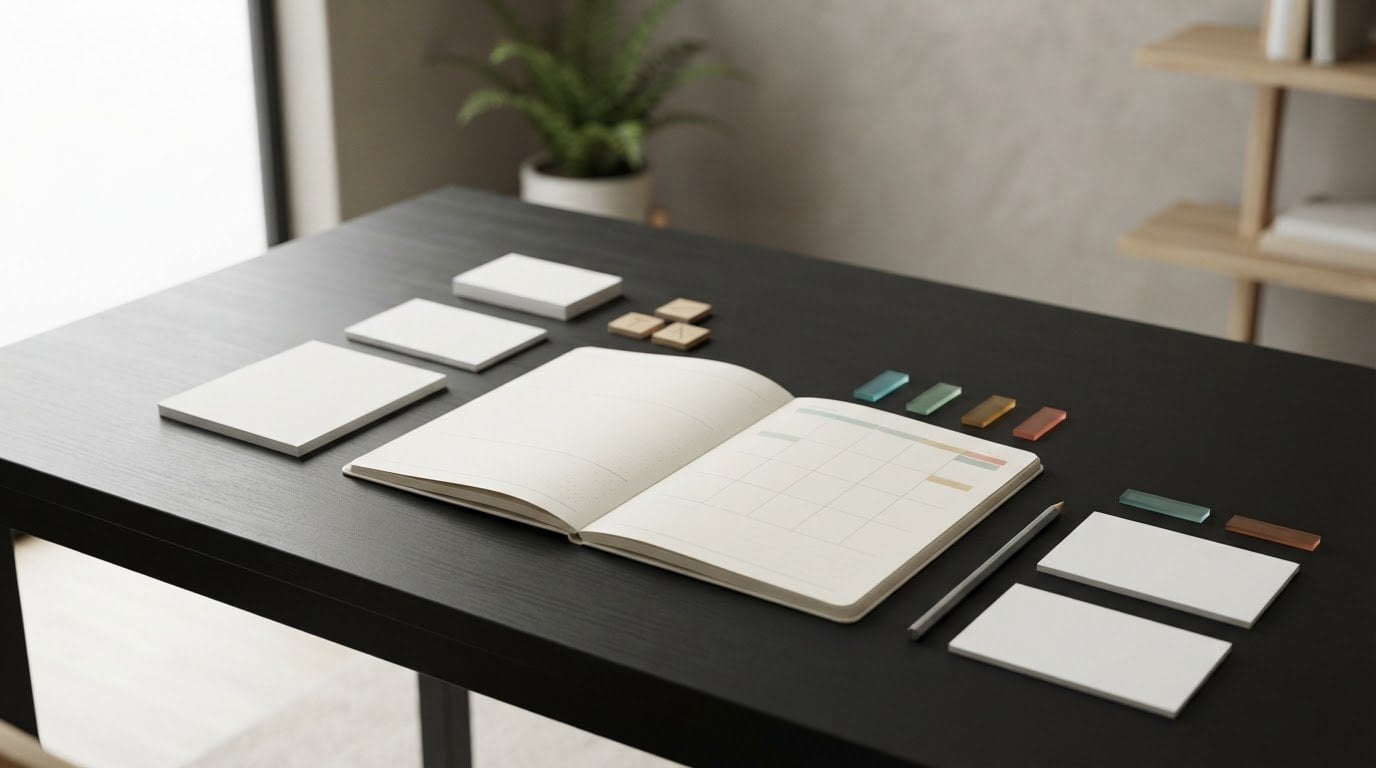

What if you could see time passing without opening another screen? Tangible time management tools offer a visible, physical cue for planning and focus, from a paper planner to a simple timer. They can be useful when notifications distract you or a schedule feels too abstract to act on.
The right tool depends on the behavior you want to support: remembering commitments, choosing a next task, staying with one activity, or helping a group share time. Adding several tools at once can create more work, so start with the specific moment that feels difficult.
This guide compares common tangible time management tools and explains how to match each one to a practical need. You’ll see how paper tools support planning, how physical timers mark an interval, and how a light-based visual timer such as Timeqube can provide a screen-free cue for sessions or meetings. You’ll also learn how to build a simple routine around the tool you choose. The aim isn’t to manage every minute. It’s to make time easier to notice and work with.
Key Takeaways
- Choose a physical tool by the job it needs to support: capturing commitments, organizing tasks, tracking time, or making duration visible.
- Compare planners, calendars, task boards, time logs, and visual timers by their purpose, setting, and limitations.
- Use tangible time management tools to create clear cues for planning or focus without repeated screen checks.
- Start with one source of friction, select one tool, and decide what cue will prompt you to use it.
- Consider a physical visual timer when a screen-free time signal would help a session or meeting, as one part of a wider toolkit.
What Are Tangible Time Management Tools, and What Can They Do?
Time itself cannot be managed. The hours in a day continue at the same pace. What you can shape is how events, tasks, and commitments fit within the time available. A tool can help you decide what to do, when to do it, or how long to stay with an activity. It can’t create extra hours or guarantee that a plan will work.
Tangible time management tools are physical objects that make plans, durations, or task progress visible without requiring a digital interface. A planner can record commitments; a timer can signal a work period. These tools differ from apps, which present information on a screen, and from productivity methods, which are approaches to organizing work. The object supports a decision or routine; you remain in control of how you use it.
For a broader overview of time management principles and methods, consider how different tools can fit alongside the habits and techniques you already use. A physical format is one practical choice, not a complete system in itself.
Which tools count as tangible time management aids?
The category includes several formats, each suited to a different kind of information:
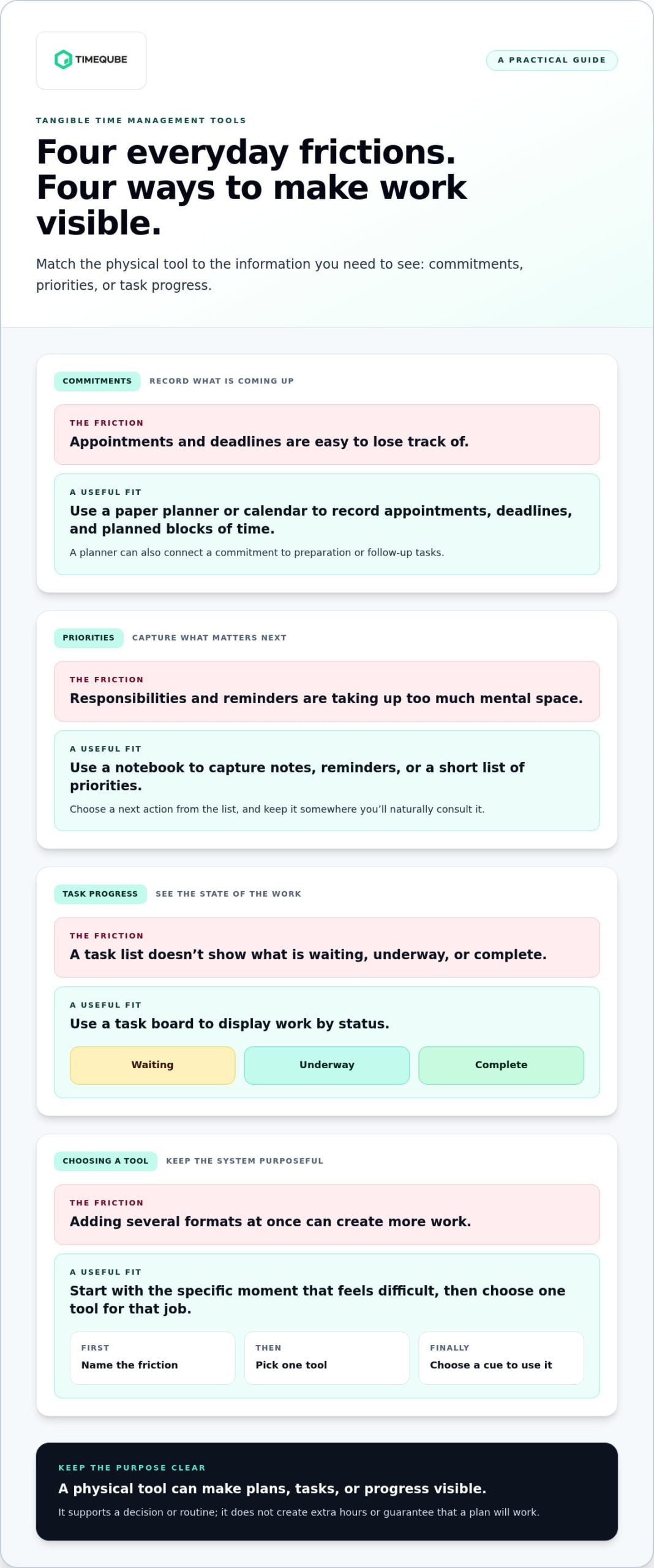
- Paper planners and calendars record appointments, deadlines, and planned blocks of time.
- Notebooks capture notes, reminders, or a short list of priorities.
- Task boards display work by status, such as what’s waiting, underway, or complete.
- Time logs create a written record of how time is spent, which can inform future planning.
- Physical timers provide a cue for a chosen period. Visual timers make time passing perceptible through a changing display.
These formats can overlap, but they don’t do the same job. A wall calendar makes upcoming commitments easy to scan. A task board shows the state of work. A physical visual timer offers a time cue without requiring you to check a phone. Choose based on what you need to notice, rather than which format is most popular.
Why make time or tasks visible?
A written list or visible board can serve as an external reminder. Instead of keeping every task in mind, you can refer to a record when deciding what to do next. A visible timer offers a different cue: it shows a work period passing without repeated screen checks. These are practical design choices, not guaranteed cognitive or clinical benefits. A cue is useful only if it’s clear, accessible, and relevant to your routine.
Visibility can also make pressure feel more immediate. If a deadline display makes you feel more rushed, use a calmer cue or show less information. When time pressure itself is the concern, the related guide on reducing time anxiety at work can help you consider the emotional side alongside practical planning.
How Tangible Tools Support Planning, Focus, and Time Awareness
Physical tools can support time management in three distinct ways: capturing commitments, organizing work, and signaling time or progress. Separating these functions helps you choose for a real need instead of collecting formats that do the same job.
A calendar or planner records events and deadlines so they’re visible beyond memory. A task list holds responsibilities, but it becomes more actionable when you choose a next step from it. A board can show which tasks are waiting, underway, or complete. These distinctions turn a crowded set of obligations into information you can refer to and act on.
Observation is different from signaling. A time log records how you spend time, helping you notice patterns after the fact. A timer marks a chosen interval as it passes. The University of Georgia’s time-management guidance suggests keeping a time log in 15-minute intervals for a week or two. The aim is to observe your schedule, not to judge every interruption or treat the record as a perfect measure.
Planning tools externalize commitments
Writing an appointment in a calendar gives it a visible place in the day. A planner can connect that commitment to preparation or follow-up tasks. A task list, meanwhile, can separate everything you’re responsible for from the few actions you intend to take next. Keep the list where you’ll naturally consult it. A tool that’s out of sight may not help you decide what to do.
Physical cues can make duration easier to notice
A physical visual timer offers a tangible cue for a chosen period. Rather than repeatedly checking a clock or phone, you can glance at a display that communicates time passing. A notification-based alert works differently: it draws attention at a set moment. That may be useful, but it isn’t the only way to mark time. Choose the cue that suits the setting and feels least intrusive.
During focused work, a visual timer can make an interval perceptible while your phone stays aside. In a meeting, a shared visual cue can help participants notice time passing without relying only on spoken reminders. Timeqube for business meetings is a physical, light-based timer that uses color-coded light signals to support time awareness without digital distractions.
Tangible time management tools work best as support for a chosen routine, not as substitutes for planning or judgment. If time pressure feels difficult to manage, start by making one commitment, priority, or interval easier to see. Then notice whether that cue helps you make your next decision with less friction.
How to Compare Tangible Time Management Tools by Purpose
Compare a tool by the problem it should solve, not by how polished or familiar it looks. Do you need to remember appointments, see work moving through stages, understand where time goes, or notice an interval passing? The table offers a starting point. Its limitations matter too: a tool is useful only if it suits the task, setting, personal preference, and routine you can maintain.
| Tool category | Primary purpose | Useful setting | Possible limitation |
|---|---|---|---|
| Paper planner | Plan tasks and commitments together | Daily or weekly personal planning | Needs regular updating; no automatic reminders |
| Paper calendar | Show scheduled events and deadlines | At home, at work, or in a shared space | Less suited to flexible task details |
| Task board | Display work by status or priority | Projects with visible stages or shared tasks | Can become outdated without maintenance |
| Time log | Record how time is spent | Reviewing routines or planning estimates | Requires consistent entries and reflection |
| Physical visual timer | Make a chosen interval perceptible | Focused work, meetings, or timed sessions | Signals duration, but doesn’t organize tasks |
The best tool fits the time-management problem you’re trying to solve. A calendar won’t show a task’s progress, and a timer won’t capture every commitment. The table is a guide, not a ranking. A simple format used consistently may be more useful than a sophisticated one that doesn’t fit your day.
Choose a planning aid when commitments are hard to track
Use a calendar for appointments and deadlines with a set time. Choose a planner or list when tasks are flexible and need sorting into a workable order. Paper offers a physical record and visible layout, but it trades automatic reminders for the habit of checking it yourself. A page-based planner, wall calendar, or notebook can work, depending on where and how you plan.
Choose a tangible timer when duration needs a visible cue
A physical timer may suit an individual focus period, a facilitated meeting, or a timed session where people benefit from a shared cue. Unlike a notification, a visual cue can communicate that time is passing without an alert sounding at a set moment. For individual focus, explore the deep-work visual timer guide. For meetings, Timeqube for business meetings is a physical timer that uses color-coded light signals to support time awareness without digital distractions.
Picture the moment you’ll use the tool before choosing one. If the main friction is forgetting a deadline, start with a calendar. If it’s losing track of a work interval, consider a visual timer. Match the format to the need, then see whether it works in your actual setting.
How to Build a Simple Routine Around Tangible Time Tools
A tool becomes useful through the cue it creates and the action you take in response. Keep your first experiment narrow. Don’t introduce several tangible time management tools or new routines at once, or it may be hard to tell what’s helping and what’s adding effort.
Start with the time-management problem, not the product
First, identify the friction. Are commitments easy to forget, priorities hard to choose, or work periods difficult to sense? Pick one physical tool that addresses that specific need. Then give it a clear place and moment in your day. For example, keep a planner beside your workspace and check it before choosing a first task. A tool that’s easy to reach is easier to use.
Use this five-step process to shape a small, repeatable routine:
- Identify the friction. Name one recurring problem, such as losing track of tasks or drifting through a work period.
- Select one tool. Choose a planner, task list, board, or physical timer that directly addresses that problem.
- Define its cue. Decide what will prompt you to use it, such as starting the workday, beginning a task, or opening a meeting.
- Use it in context. Keep the tool where the relevant action happens. Use a timer to mark an interval, for instance, rather than adding it to every task by default.
- Review the fit. After trying the routine, notice whether you used the tool, whether it was easy to access, and whether the cue suited the task.
For interval-based focus, a physical Pomodoro timer can provide a tangible start and end cue for a work period. The method’s intervals are a structure to test, not a rule you must follow. Consider whether a timed block fits the work at hand, and consult the guide to physical Pomodoro timers for more on using that approach.
Review the routine without chasing perfect productivity
Review the routine after you’ve used it in ordinary conditions. Ask: Did I remember to use the tool? Was it easy to see or reach? Did interruptions or the setting make the cue less useful? If the tool stayed unused, try changing its location or tying it to a more reliable moment in your day.
Notice your own experience rather than expecting a guaranteed increase in focus or a reduction in stress. A routine may suit one kind of task and not another. Adjust one element at a time, then see whether the tool is practical to maintain. The aim is a workable cue, not a perfect schedule.
If a screen-free visual cue would suit your meetings, explore Timeqube for business meetings, a physical timer that uses color-coded light signals to support time awareness without digital distractions.
Where a Physical Visual Timer Fits in Tangible Time Management
A physical visual timer has a focused role within a wider set of tangible time management tools. It can make a chosen period visible, but it won’t record appointments, sort priorities, or show a project’s status. Those jobs still belong to calendars, planners, or task boards. Think of the timer as one cue in a broader routine, not a complete time-management system.
Its appeal is straightforward: the time cue is physical rather than part of a phone or computer interface. This can suit settings where people prefer not to check a screen repeatedly, such as a focused work period, a guided session, or a meeting. A visual signal makes time noticeable; it doesn’t guarantee a particular effect on attention, stress, or performance.
When a screen-free time cue may fit
Consider the setting first. If opening a device could draw your attention toward messages or other tasks, a separate physical timer offers a simpler cue. It can also provide a point of reference for people sharing a timed activity. For session-specific context, explore Timeqube for mind/body therapies, designed for use in those settings.
Consider a visual timer for meetings or sessions
Timeqube is physical timer hardware that uses color-coded light signals to support time awareness without digital distractions. It is designed for professional business meetings and mind/body therapies, where a visible time cue may fit more naturally than checking a screen. Organizations looking for branded hardware can choose Timeqube with their logo.
The format still depends on the situation. A group may need a shared cue, while individual work may call for a different planning aid or timer routine. A visual timer won’t capture a new commitment or decide what deserves attention. It can make the passing interval easier to notice while people continue with the activity.
Before choosing a visual timer, ask whether the main need is to make duration visible without a digital interface. If so, consider where the timer would sit and who needs to see its cue. The Timeqube visual timer is one practical screen-free option within a broader toolkit.
Make One Small Change to Your Time Routine
Your next step doesn’t need to be a complete productivity reset. Choose one moment that regularly feels unclear, then decide what would make it easier to approach: a written prompt, a visible task, or a cue that marks time passing. Keep the experiment modest. A tool should fit around your work, not become another system to maintain.
As you try different tangible time management tools, notice what feels natural to reach for and what fades from view. That observation can guide your next choice without turning productivity into a measure of personal worth. Timeqube uses color-coded light signals to make time awareness visible without a digital interface, with options for mind/body therapies, business meetings, and branded organizational hardware.
Explore the Timeqube visual timer and choose a screen-free time cue for your setting.
Frequently Asked Questions
What are tangible time management tools?
Tangible time management tools are physical aids that help make plans, tasks, or time visible. For example, you might use a notebook to capture an idea during a call, then move the next action to a task board. Unlike a software interface, these tools have a physical form you can access directly. They can support a routine, but they can’t make decisions or ensure a particular result.
What are examples of non-digital time management tools?
Examples include a desk calendar for appointments, a pocket notebook for quick reminders, a board for tracking a group project, and a physical timer for a cooking or study interval. Each tool supports a different need. If you often forget a weekly commitment, place the calendar where you prepare for the week. Choose a format that’s comfortable to consult, rather than one that looks ideal but stays unused.
Are physical time management tools better than apps?
Neither physical tools nor apps are automatically better. A paper list may suit someone who wants tasks visible beside their workspace, while an app may be more practical for coordinating plans across devices. Consider where you’ll use the tool, how you prefer to access information, and whether screens create unwanted distractions in that moment. The better fit is the one you can use without adding avoidable steps.
How do I choose a tangible time management tool?
Start with the specific snag. If you miss appointments, try a calendar; if you struggle to choose what to do next, try a short task list; if a work period feels difficult to track, consider a physical timer. Keep the tool where the problem occurs. After trying it, ask whether you remembered to use it and whether it made the next action clearer.
Can a physical timer help with focus?
A physical timer can mark the beginning and end of a work period, giving you a visible reference while you complete a defined task. For example, you might use one while drafting a report, then pause to review your progress when the interval ends. It won’t guarantee concentration, and a timer may not suit every activity. Treat it as a cue to test, then adjust if it interrupts your workflow.
What is the difference between a time tracker and a visual timer?
A time tracker helps you record or review how time was spent; a visual timer marks a chosen interval as it passes. For example, a simple written log can reveal how much of a workday goes to email, while a timer can cue a planned break from email. Use a tracker when you need information about a pattern. Choose a timer when you need an in-the-moment signal.
Can tangible time management tools replace a digital calendar?
They can replace some calendar uses, but whether that works depends on how you manage invitations, reminders, and changes to plans. A paper calendar may be enough for someone tracking personal appointments in one place. If you coordinate schedules with colleagues or family, a digital calendar may remain useful for shared updates. You can also divide the work between formats, but avoid copying every entry if maintaining both becomes burdensome.