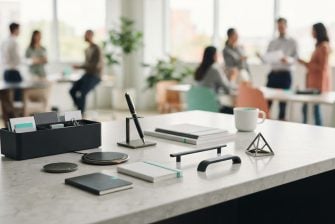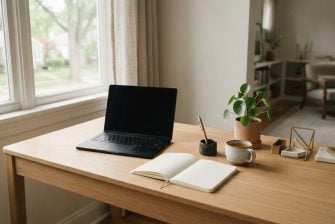

A calmer desk needs thoughtful choices, not a crowded collection. Start with a few calming desk tools, such as a quiet fidget, a way to keep time in view, or a tactile object for brief pauses. Each should serve a clear purpose without adding noise or visual clutter.
It makes sense to want simple ways to reset between tasks without turning to another screen. A fidget gives your hands a gentle outlet; a clock makes time visible; a sensory accessory offers a moment of tactile focus. The right combination depends on what feels useful in your workspace and how you work.
This guide covers fidget toys for short breaks, ways to keep time visible, and sensory tools for a calmer desk. You’ll also find a practical approach to combining a few accessories so your setup supports focus without becoming another distraction.
Key Takeaways
- Choose a quiet fidget that gives your hands a simple way to pause between tasks.
- Use a desktop clock to make time visible without adding another screen to your workspace.
- Try a tactile sensory object for a brief, grounding pause when your attention feels scattered.
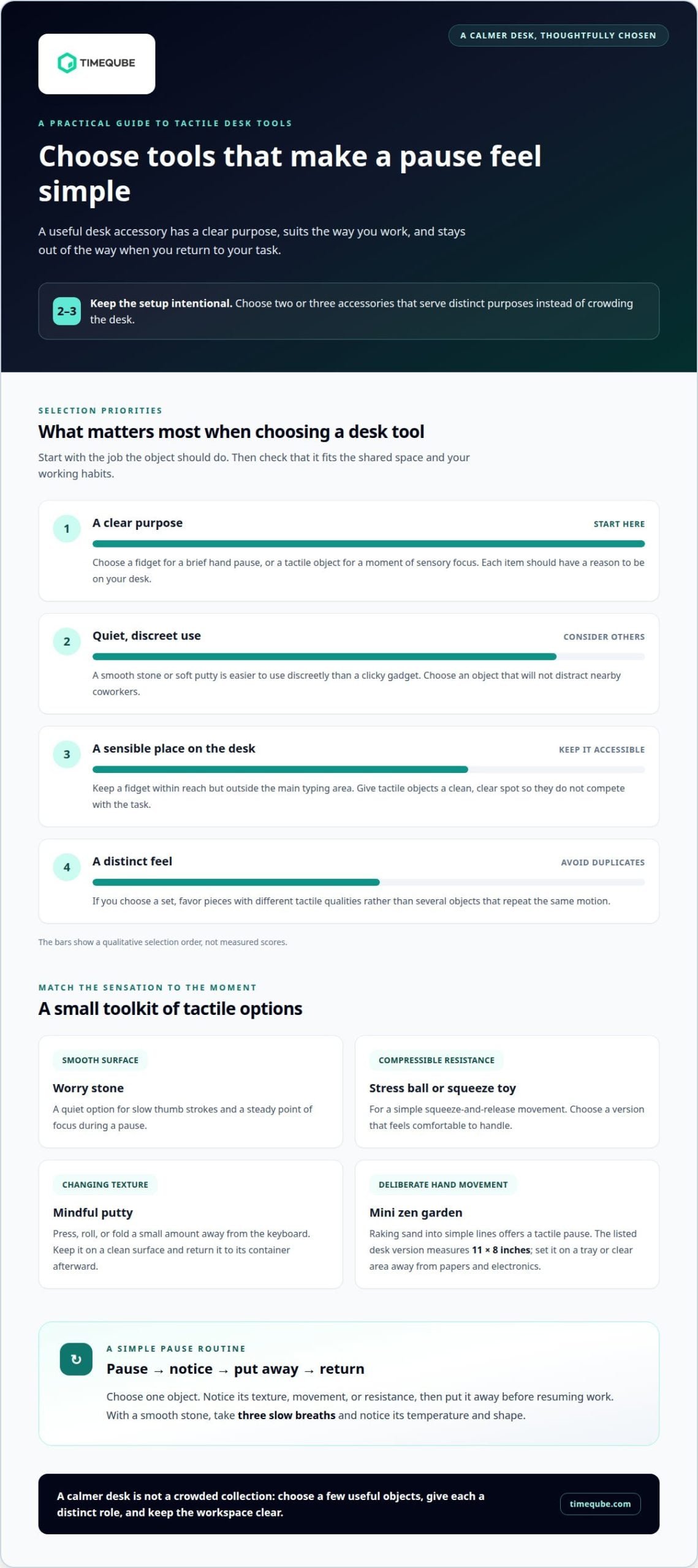
- Keep your setup intentional by choosing two or three accessories that serve distinct purposes.
- For a visual way to mark time in meetings or mind-body sessions, consider a Timeqube designed for that setting.
1. Fidget toys for mini work breaks
Fidget toys give your hands a simple activity during brief pauses. A smooth stone, quiet ring, or small squeeze toy can offer tactile input without opening another screen. These calming desk tools work best within reach but outside your main typing area. Choose an object that feels comfortable to handle and won’t distract nearby coworkers.
Work stress can build through small demands: an unfinished email, a tense message, then a meeting that starts right away. Moving from one task to the next can leave little room to reset. Use a fidget during a natural pause, such as after reading a difficult message or before joining a meeting. Focus briefly on its texture or movement, then return to your next task.
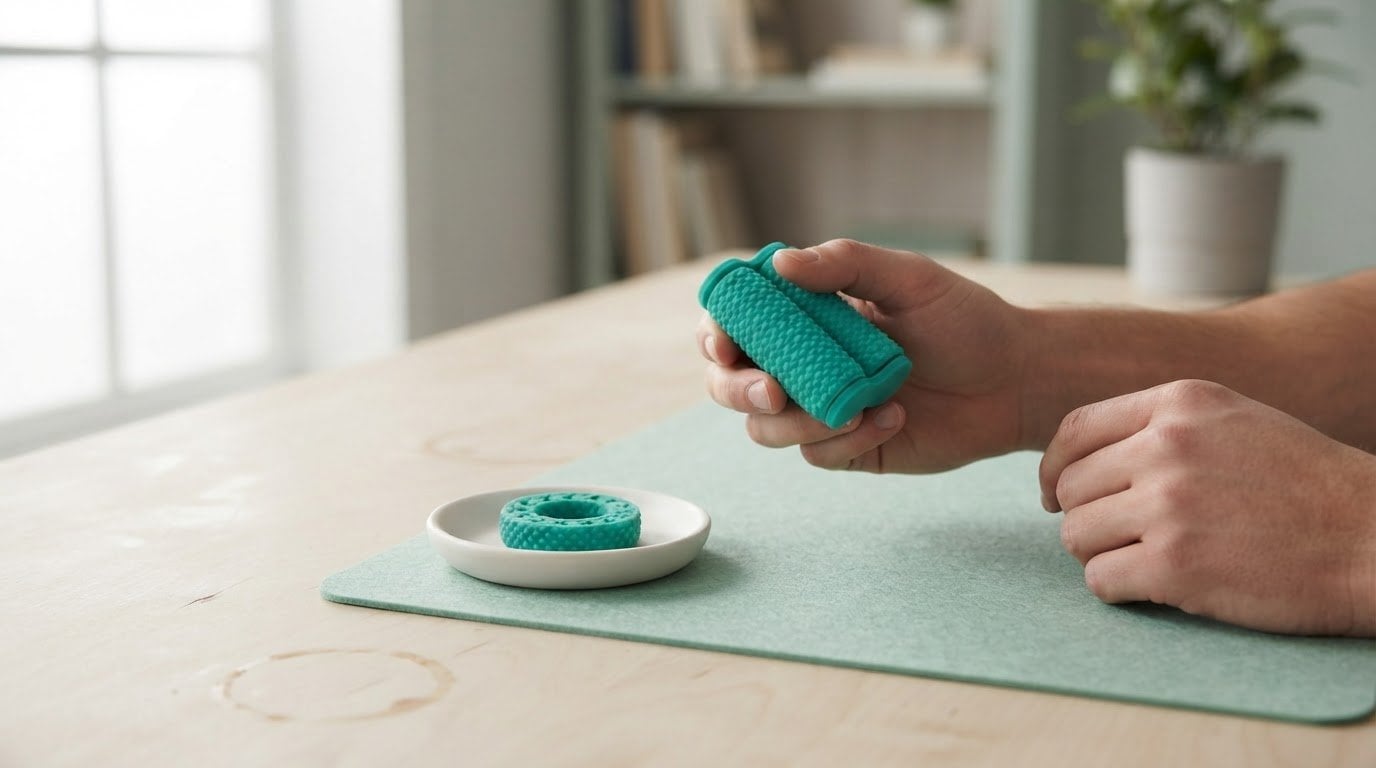
Mindful putty is one option for a hands-on pause. Press, roll, or fold a small amount while stepping away from the keyboard. Keep it on a clean surface and return it to its container afterward. A simple routine helps: pause, handle the putty, notice its resistance, then put it away before resuming work.
A sand timer can make a short work block visible without a screen. Choose either a 5-minute or 15-minute timer, depending on the task and the time available. For example, use a 5-minute block to sort a few notes, or a 15-minute block to begin a focused work session. The falling sand provides a visual cue, while the timer itself requires no notifications.
Fidget toys can suit quiet moments, but not every object suits every desk. A clicky gadget may interrupt a shared workspace, while soft putty or a smooth stone is easier to use discreetly. Try the movement during a calm task first. If the object pulls your attention from reading or typing, choose a simpler texture or save it for breaks.
Work fidget gift sets can bring together several tactile options, such as a squeeze item, a textured object, and a small container of putty. For a colleague, favor pieces that are quiet, compact, and easy to store. A set is most useful when each item offers a distinct feel rather than repeating the same motion.
Keep the break deliberate. Set the sand timer for 5 minutes, step away from the screen, and use one fidget rather than switching among several. When the sand runs out, take one breath, put the object away, and choose the next task. This clear sequence makes the pause easier to end.
Match the tool to the moment: use a tactile object after a stressful message, or a 15-minute sand timer to frame focused work. A small, repeatable pause can create a clearer boundary between tasks without adding another digital prompt.
2. Desktop clocks
A desktop clock makes time visible without opening another screen. An analog face shows time through the position of its hands, while a digital display presents numerals directly. Choose a format you can read at a glance from your usual working position. For example, place a small clock beside your monitor, not behind a stack of papers.
Its usefulness depends less on decoration than on visibility and a steady place on the desk. Choose a face that’s easy to read in your workspace, then position it where checking the time won’t interrupt your main task. A simple design can blend into the space instead of competing with it.
Clocks show the current time, not how much time remains for a task. That distinction matters. If you’re drafting a message before a meeting, an analog clock can help you notice the time without switching windows. But it won’t mark a work interval or signal that a break has ended. Choose a clock for time awareness, not as a countdown.
Placement affects how often the clock catches your eye. Put it within your natural line of sight if you need occasional time awareness, such as during email work. If the moving hands or bright display draw your gaze too often, move it farther away. A clock should make time accessible, not dominate your visual field.
Choose a display that suits the shared space. In a quiet office, a silent analog clock avoids adding an audible cue. In a home workspace, a digital clock may be easier to read from across the room. Consider the people nearby, too. A prominent display facing a shared table can help everyone orient themselves, while a personal desk may need only a compact face.
Make the clock part of a deliberate routine. Before starting a task, note the time, close unrelated tabs, and decide what you’ll work on next. When you finish, check the clock once and choose your next action. This gives time a practical role without turning each glance into another interruption.
For a calmer setup, keep the area around the clock simple. Clear space makes the display easier to notice; a crowded spot can hide it among notes, cables, and stationery. Pair it only with items that support the task at hand. A desktop clock can keep time visible, while other accessories serve sensory or break-related needs.
Choose a clock for the information you need, then give it a stable place. An analog face suits quick visual checks; a digital display suits direct reading. Either can bring time into view without adding another screen to your routine.
3. Sensory tools for a calmer workspace
Desk fidgets offer movement, stress balls provide compressible resistance, worry stones invite smooth thumb strokes, and sensory putty can be pressed or shaped. Choose based on the sensation you want: repeated motion, a squeeze, a smooth surface, or changing texture. For example, a worry stone suits a quiet pause, while putty allows more varied hand movement.
Its smooth surface gives your fingers a steady point of focus during a pause. If you feel overwhelmed, hold the stone and take three slow breaths. Notice its temperature and shape as you breathe, then set it down before returning to your task.
A mini zen garden adds a different kind of sensory focus. The listed desk version measures 11 by 8 inches, giving it a defined footprint to consider before placing it near a keyboard or notebook. Raking the sand into simple lines creates a deliberate hand movement. Keep the garden on a tray or clear area, so sand stays separate from papers and electronics.
Precision metal spinning tops bring motion into view. After one launch, they can spin for several minutes or longer. That sustained movement may suit a short pause, but it can draw attention away from nearby work. Use a top away from shared screens and active conversations. When it stops, put it aside rather than repeatedly restarting it during focused tasks.
Match each object to its sensory quality and setting. A palm pebble is small and quiet, while a zen garden needs more desk space. Putty changes shape under pressure; a spinning top offers visible motion. At a shared desk, choose a pebble or putty for discreet use. In a private workspace, a zen garden or top can create a more noticeable pause.
Keep the routine simple. Select one object, pause your typing, and focus on its texture or movement. With a pebble, pair the touch with three slow breaths. With a zen garden, make a few steady rake lines, then smooth the sand. For a spinning top, watch one launch until it stops. This gives each accessory a clear role instead of adding another distraction.
Notice whether the tool fits the moment. If putty occupies your hands but makes typing awkward, use it away from the keyboard. If a spinning top catches your eye while you’re reading, save it for breaks. A useful sensory object is easy to reach, simple to put away, and suited to the setting. One well-matched texture can be more practical than several competing sensations.
4. Combining calming desk accessories
Give each object a distinct role. Choose a few accessories rather than filling the desk with every appealing option. For example, pair a small plant with a tactile object and a clock. The plant adds a natural visual element, the tactile item offers a hands-on pause, and the clock keeps time in view.
Popular options have different estimated costs in the United States. These examples can help frame a setup budget without implying that every desk needs each item.
One suggested combination pairs a solar figurine, a plant, and a tiny journal. Each has a separate function: the figurine brings subtle movement, the plant adds greenery, and the journal holds a brief written note. Keep the arrangement compact so it doesn’t compete with your keyboard or work materials.
Arrange items by how you use them. Place a clock where its face is visible during a task, and keep a fidget within easy reach for a pause. Put a journal beside your usual writing space. A mini zen garden needs more room, measuring 11 by 8 inches, so it may suit a clear corner better than a crowded work surface.
Give every accessory a boundary. Keep the typing area clear and group decorative objects on one side. For instance, place a plant and solar figurine near the back edge, leaving the front open for notes. This makes the setup easier to use and keeps small objects from drifting into your active work zone.
Try a five-minute setup ritual before starting work. Clear one surface, select two or three objects, and place each where its purpose is apparent. Write one intention for the day in the journal. At day’s end, note one thing that went well. These small steps turn accessories into part of a deliberate routine.
After a week, assess how the arrangement fits your workday. Notice whether you used the tactile object during pauses, whether the clock stayed easy to see, and whether the plant or figurine crowded your work area. Remove anything distracting. Keep the items that support a specific moment, such as setting an intention, keeping time visible, or taking a quiet break.
A restrained selection can also make the setup easier to review: the page recommends 2-3 calming desk accessories rather than buying all ten. For the suggested desk setup, use 1 solar figurine, 1 plant, and 1 tiny journal, keeping the choice focused on the items already serving distinct purposes.
5. Qualities of useful stress-relief desk tools
Useful stress-relief desk tools are simple, quiet, and easy to use during a normal workday. A smooth palm stone, soft putty, or silent fidget ring offers a clear sensory action without setup. Choose an object that supports a brief pause, then put it aside when you return to typing. If it adds noise, visual clutter, or extra steps, it may create more friction than it removes.
Choose according to sensory preference and work habits. If your hands seek pressure, try a stress ball; if you prefer gentle movement, consider a worry stone or smooth fidget. For changing tactile feedback, putty can be pressed or shaped. Match the tool to your routine: keep a quiet object near your keyboard for short pauses, or save a more engaging item for breaks away from active work.
For a shared office, discreet choices include a worry stone, soft putty, or silent ring. These fit in a drawer or beside a notebook without making sound. A clicking fidget or spinning top can draw attention during a meeting, so use it away from coworkers or choose a quieter alternative. Keep the item in your own workspace rather than passing it around.
Fidget tools can distract coworkers or interrupt your concentration if they click, spin, or invite constant handling. The effect depends on the tool and setting: a quiet stone used during a pause is less noticeable than repeated clicking during a call. Try the tool during an ordinary task. If you or a nearby colleague keeps looking toward it, switch objects or reserve it for breaks.
Consider practical fit and comfort. A bulky object can crowd the keyboard, alter hand placement, or obstruct a clear work surface. Keep fidgets away from the mouse path and writing area. Choose a comfortable size and texture, and stop using an item if it causes discomfort. Putty and small objects also need a designated storage place to stay clean and avoid rolling onto the floor.
Evaluate one tool at a time. Use it during a specific moment, such as after a demanding email, then notice whether it helps you return to the task. Check whether the object stays quiet, comfortable, and easy to set aside. Keep what’s useful and remove distractions. This makes calming desk tools a deliberate part of the workspace, rather than a collection competing for attention.
Timeqube
Timeqube offers physical visual timers that use color-coded light signals to make time visible without digital distractions. They complement sensory desk accessories when you want a clear time cue for a session, meeting, or mind-body practice. Choose Timeqube for Mind/Body Therapies for therapy settings, Timeqube for Business Meetings for professional meetings, or Timequbes with Your Logo for branded workplace use. Each option brings a visual approach to time awareness, alongside the tactile tools and quiet objects discussed above. If a visual timer would suit your workspace or practice, contact Timeqube to discuss the relevant option.
Make space for a calmer work rhythm
Your desk can evolve with the demands of your day. Keep the objects that help you pause, orient your attention, or return to a task. Move aside anything that adds noise or competes with your focus. A supportive workspace takes shape through small, deliberate choices, not a perfect arrangement.
Keep your next step simple: notice where your routine feels most rushed, then consider what kind of cue would suit that moment. A tactile object may help with transitions between tasks; a visual time cue may be more useful when a session needs a clear boundary. The right calming desk tools fit your work habits without creating another demand.
For a physical visual timer in a practice or professional setting, explore how Timeqube may fit your needs. Contact Timeqube about calmer workspaces to discuss a thoughtful next step. A quieter, more intentional desk can begin with one choice that feels right for your day.
Frequently Asked Questions
What are calming desk tools and how can they help with stress or focus?
Calming desk tools are small objects or visual cues that make a workspace feel more intentional. A textured object gives your hands a simple point of focus, while a visual timer makes a work period easier to track. For example, place one near the task where you tend to lose focus. Use it as a cue for a brief reset, not as a substitute for addressing an overwhelming workload.
What are the best calming desk tools for adults at work?
The best choice depends on the task and setting. During a shared video call, a silent palm object may be less noticeable than a moving desk toy. For independent planning, a small notebook can help capture distracting thoughts before they interrupt a task. Start with one item that addresses a specific friction point, such as losing track of priorities, and keep it only if it fits naturally into your routine.
What are the best quiet fidget tools for an office desk?
Quiet options include a smooth worry stone, a soft squeeze item, or a non-clicking ring. Choose a tool you can use without shifting your posture or taking your eyes from important work. For example, a stone can sit beside a notepad during a call, ready for a short pause. Avoid repetitive sounds or movements in shared spaces, especially during conversations that require others’ attention.
Which desk tools help create a calmer workspace, such as sensory lamps or desktop gardens?
A small desk garden, plant, or sensory lamp can shape the visual atmosphere without crowding the workspace. Choose a lamp with a comfortable light level for the room, and place a garden where loose materials stay away from keyboards and paperwork. For a compact setup, keep one decorative focal point and leave the main work surface clear. This keeps the environment considered and practical.